Student sign-in and out, with parents in the loop
Keep every student with their class, student number and parents. Students sign in and out with a card, a phone pass or their number, parents are told, and only the people on the list collect a child. Visitors and contractors sign in at the office on the same system.
Your student list, with the details your school keeps
Start from the Students list: each student with their class, student number and up to four parents or carers. Then make it yours. Rename any detail and add your own, such as house, year level, how they go home or a medical note, as text, a choice, a date or a number. Import the whole school from a spreadsheet, two parents a row.
- Class, student number and parents for every student
- Your own details, in your school’s words
- Find any student by name or number
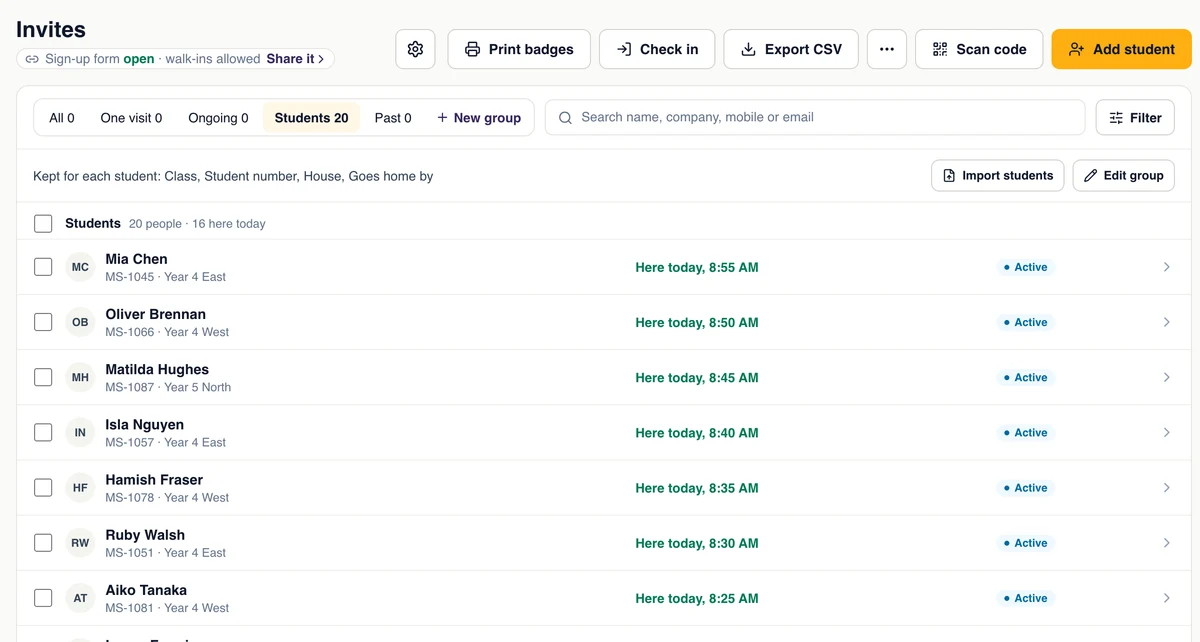
Students sign in with their card, a phone pass or their number
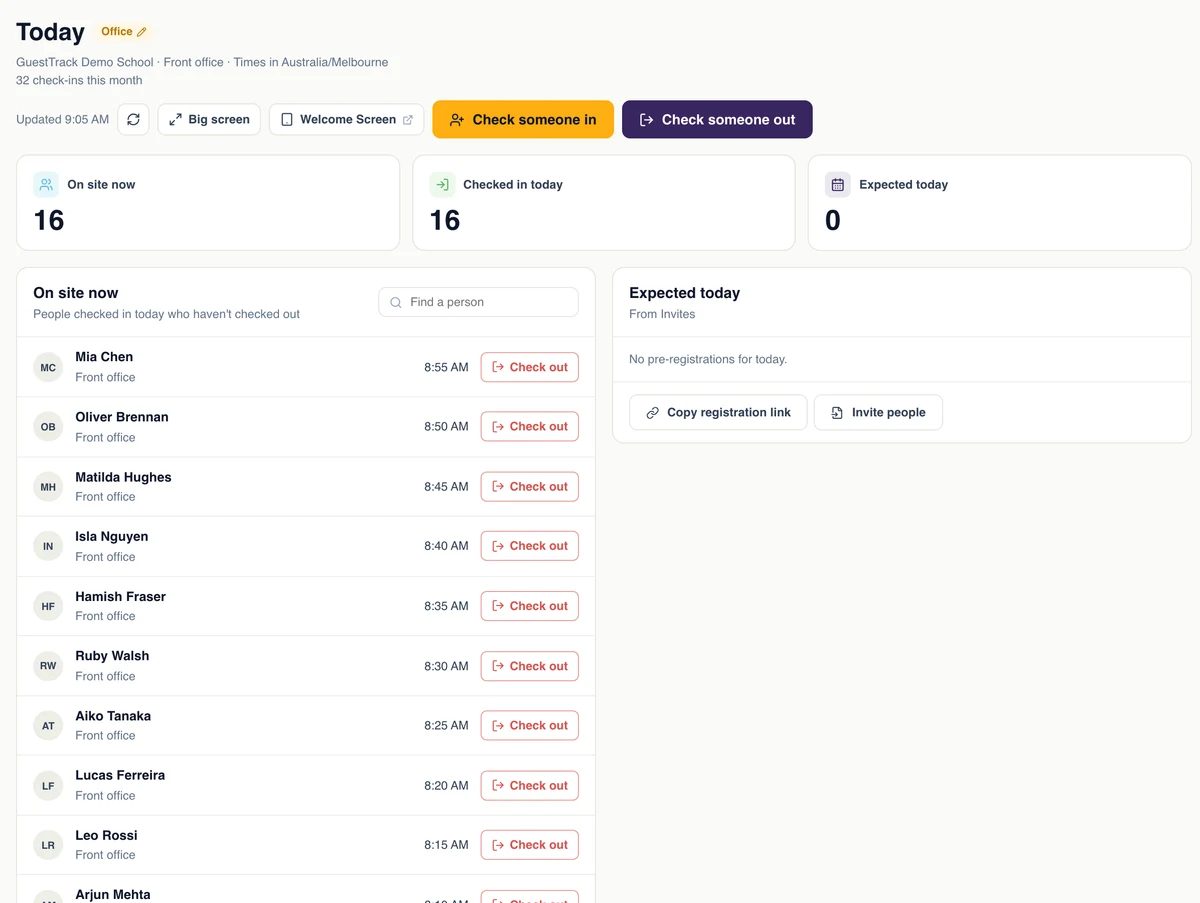
Every student has their own QR code, on a printed card or as a pass in Apple or Google Wallet. They hold it up to the iPad at the office to sign in, and again to sign out. Forgot the card? The office types their student number. Students are asked nothing: you already have their details. Each parent is told the moment their child arrives and leaves.
- Late arrivals and early leavers, each with the time
- Parents told by email, and by text through your own SMS account
- Today shows which students are in school right now
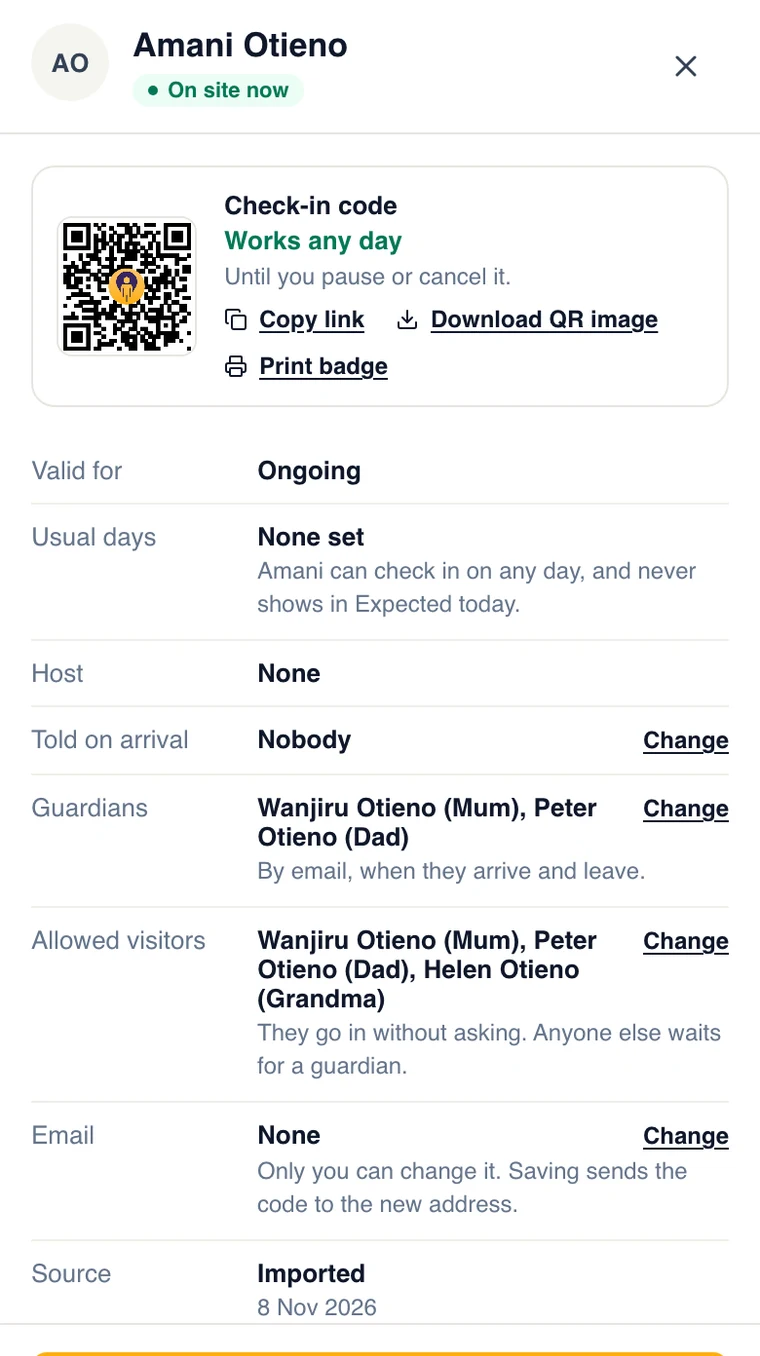
Only the people on the list collect a child
Each student keeps a list of who may collect them: parents, grandparents, the after-school carer, with a mobile or an ID number. When someone signs in at the office and names the student, GuestTrack checks the list. Someone on it goes straight through and the parents are told. Anyone else waits at the office while the parents get a text asking whether to let them in, and the office sees the answer.
- Matched by mobile or ID number, not just a name
- Parents answer from the text, with no app
- One tap adds that person to the list for next time
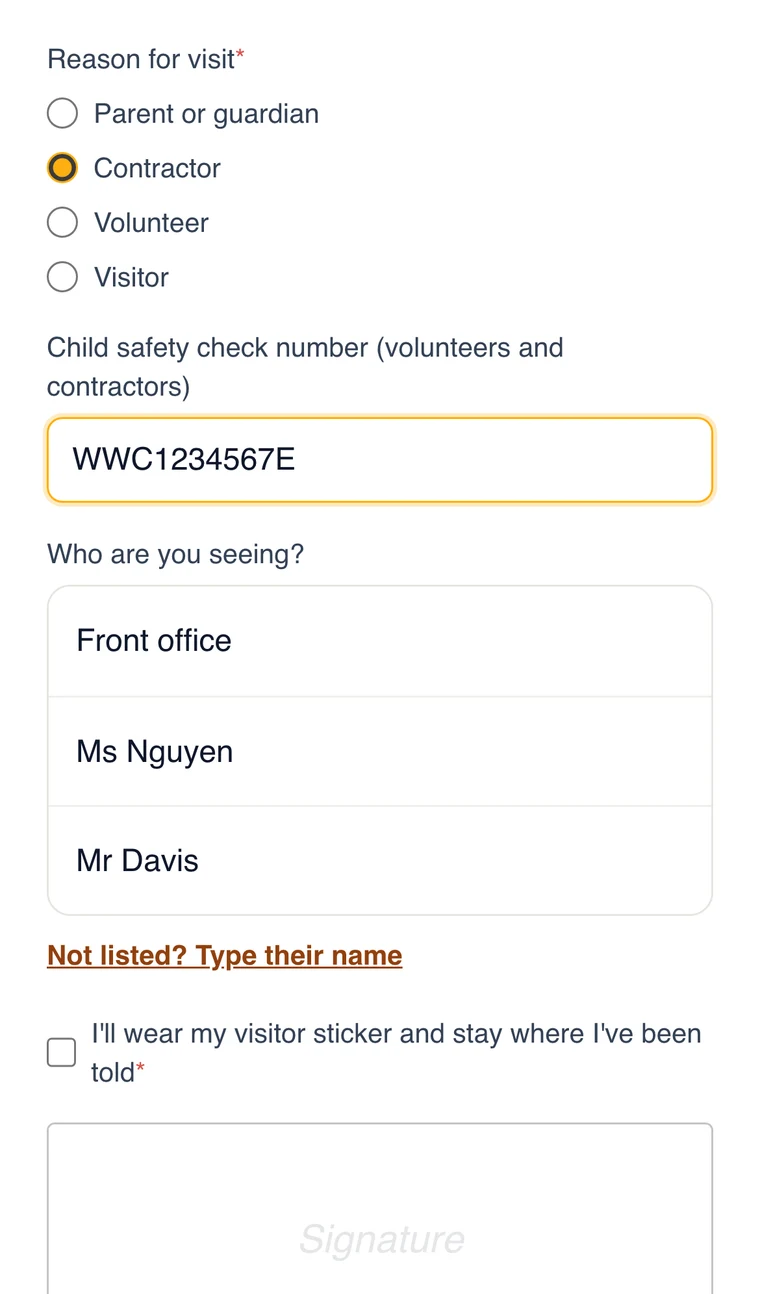
Every visitor signed in, badged and sent to the right teacher
Visitors scan the QR code at the office door, or sign in on the iPad at the counter. They say why they are here and who they are seeing, agree to your visitor rules and get a printed badge. The teacher is told by email, Slack, Teams or text.
- Parent, contractor, volunteer or visitor
- A badge from your label printer
- On the same Today as your students
Check a contractor’s Working with Children Check once, not every visit
Keep regular contractors, volunteers and relief teachers in their own lists, with their company, their check number and its expiry date. Their details show each time they arrive, and they sign in and out with their own code or Wallet pass. Staff can have a list of their own too, so the office knows who is on site.
- WWCC, DBS or police check kept with the person
- Company, induction and usual days
- One tap in, one tap out
Know the gate is covered, all day
If your school has a guard at the gate, they check in for their shift with the GuestTrack Check In app at the gate itself. While they are on shift you see the whole shift: every time they stepped away from the post and for how long, and when the phone stopped sharing its location. The guard sees they are on shift the whole time; nothing is hidden from them.
- Check-in at the post, proved by location
- Time at the post, time away, no location, on a map
- The guard can check students and visitors in from the GuestTrack app
Know who is on site when the alarm goes
Today lists every student, visitor and contractor signed in and not yet out, on any phone, so the list goes with you to the assembly area. At the end of the day the principal can get the day’s sign-ins by email, and every record is kept as long as you choose.
- Who is on site, on any phone
- The day’s report emailed at a time you choose
- Records exported in seconds
Questions schools ask
- Do we need to buy kiosks or hardware?
- No. Visitors use their own phone, and any iPad or Android tablet at the office becomes the Welcome Screen. Students’ cards are printed on paper or a label printer, or kept in Apple or Google Wallet.
- How are parents told?
- By email, and by text once you connect your own SMS account (Twilio, Africa’s Talking, Celcom Africa or another provider). For each parent you choose arrival, leaving or both. Approving someone at the office takes a text: the parent taps the link and answers.
- Does it work with our school system?
- Import students and parents from a spreadsheet exported from your school system, and export the records whenever you need them. Webhooks and an API are there for anything more.
- Where is our students’ data kept?
- In the AWS Sydney Region, encrypted in transit and at rest, and only the staff you give access to can see it. Each staff member gets their own role: check-in staff, records viewer, project manager or administrator.
- Can we run several campuses?
- Yes. One organisation holds every campus, each with its own students, check-in points and Today, under one login and one bill.
Made for a school office
Any phone, no app
Visitors use their camera and a web page. Nothing to download.
An iPad at the office
The Welcome Screen scans student cards and visitor passes, and prints badges.
Your own SMS
Texts go through your own provider, under your school’s name.
Roles for your staff
The office checks people in; only the people you choose see records.
Several campuses
One organisation, one login, each campus set up its own way.
Kept private
Students’ details are encrypted, and kept as long as you choose.
Set up your school in an afternoon
Start a 14-day free trial, import your students and parents, and print their cards and the QR code for the office door. Student lists are on the Growth and Portfolio plans.