Hosts
Visitors say who they’re visiting. The right person comes to meet them.
Add your people once. A visitor picks a name, and that person gets an email with one button, “I'll come and meet them”, and the visitor sees they are on the way. Several companies or departments behind one front desk? Group your hosts, and the whole group hears.
Works in the browser. No app for visitors, no account for the people they visit.
Most teams start here
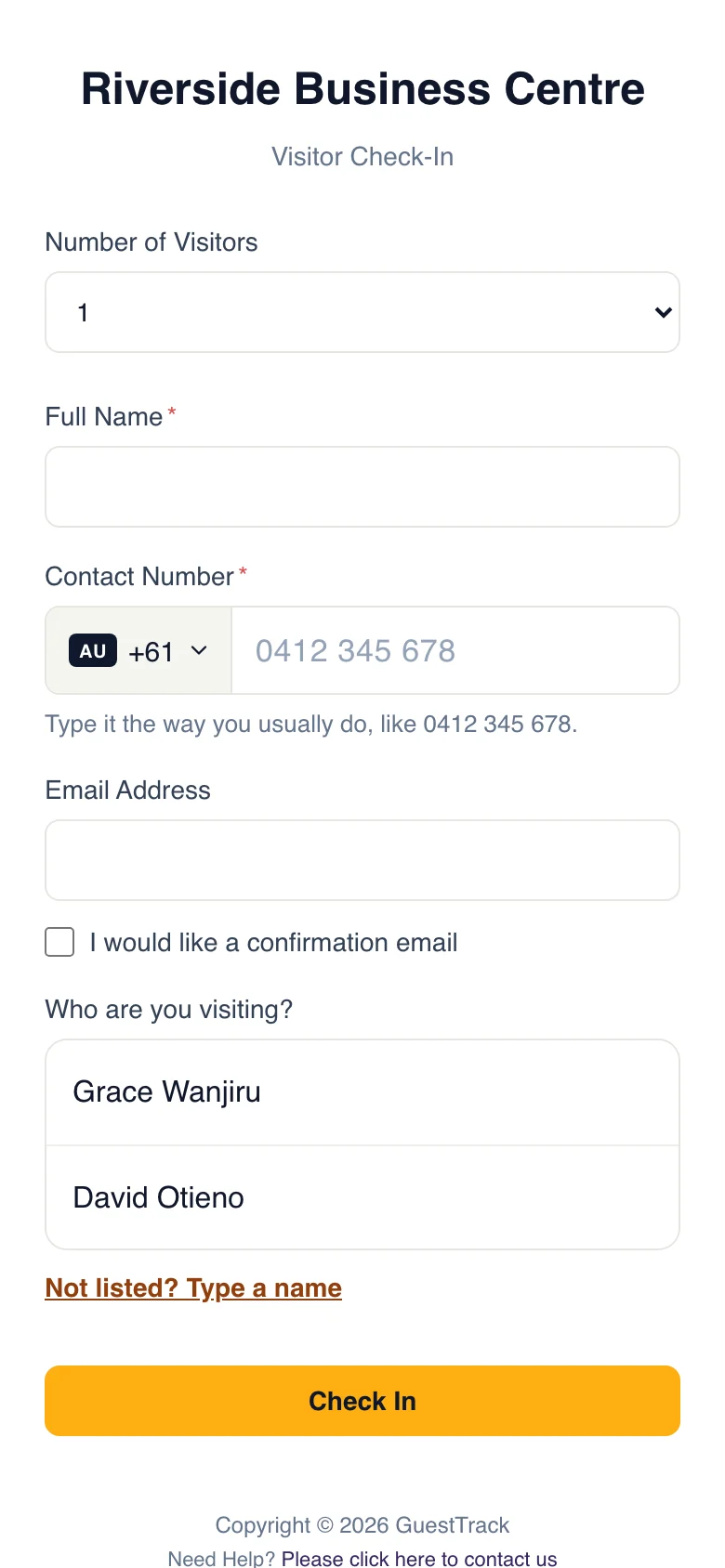
Just a list of names
Add the people visitors come to see. On the check-in form, a visitor taps a name, or types one that isn't listed. That person gets the arrival email with the button. No groups to set up, nothing extra for the visitor to pick.
One front door, many teams behind it
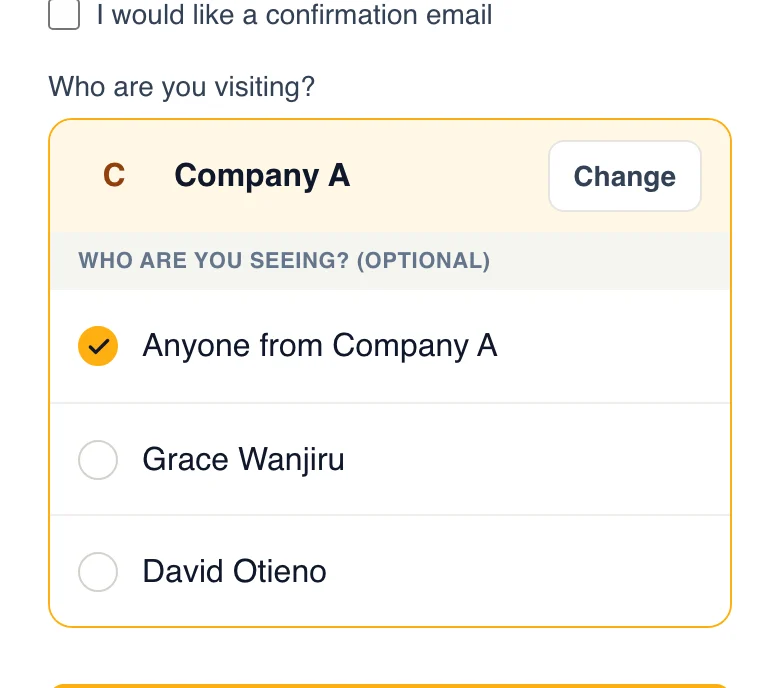
Visitors don't always know a person's name, but they know the company or the department. Add a second group, and the form lets them pick that.
Shared offices
One reception for every tenant on every floor. Each tenant is a group with its own staff.
Business parks and depots
Drivers check in at the gate and pick the business they’re delivering to. Its yard team hears at once.
Schools and campuses
Parents and contractors pick a department: the office, the library, maintenance. Whoever is free comes.
One company, several departments
Visitors pick HR, IT or the warehouse instead of guessing a name. Whoever is free in that team comes.
From the scan to a handshake
Joseph arrives at a shared reception to see Company A. These are the real screens, start to finish.
- 1
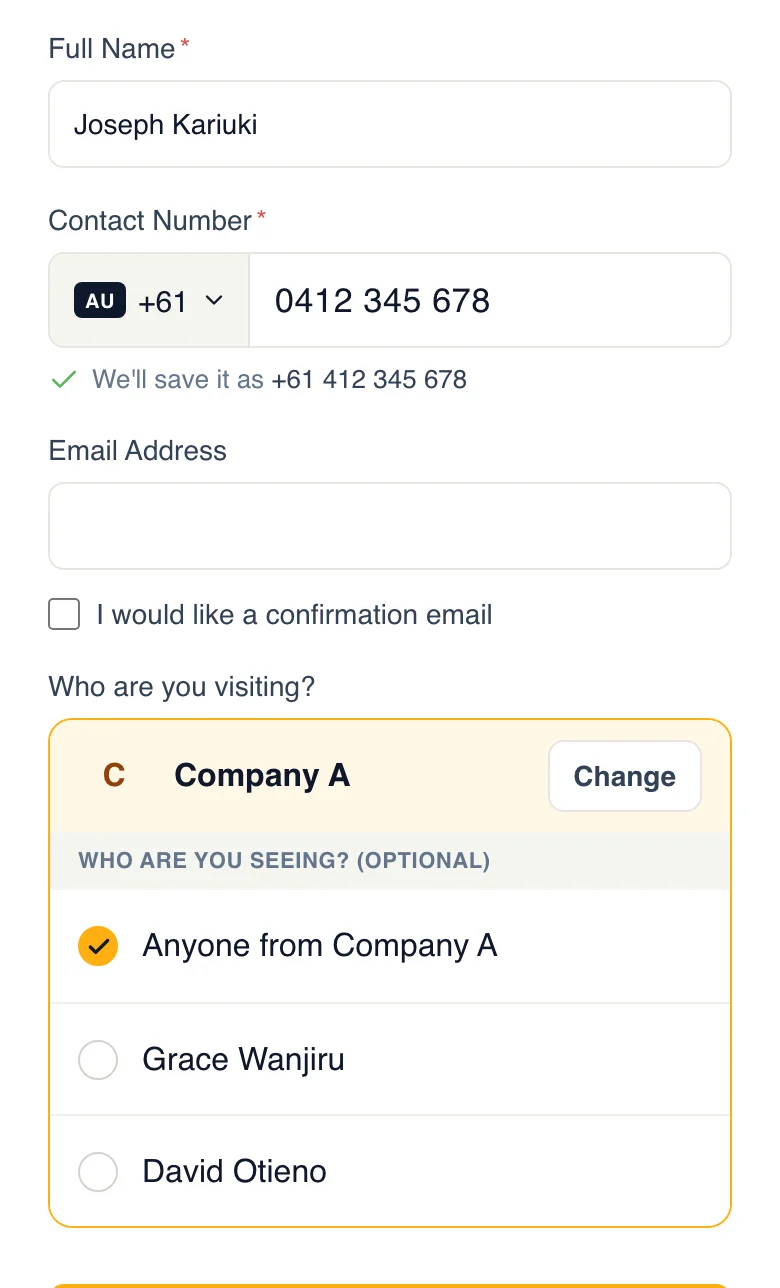
Joseph picks Company A
He doesn’t know who ordered the parts, so he picks the company and leaves it at “Anyone from Company A”. Had he picked Grace, only Grace would hear. The form shows names only, never an email address.
- 2
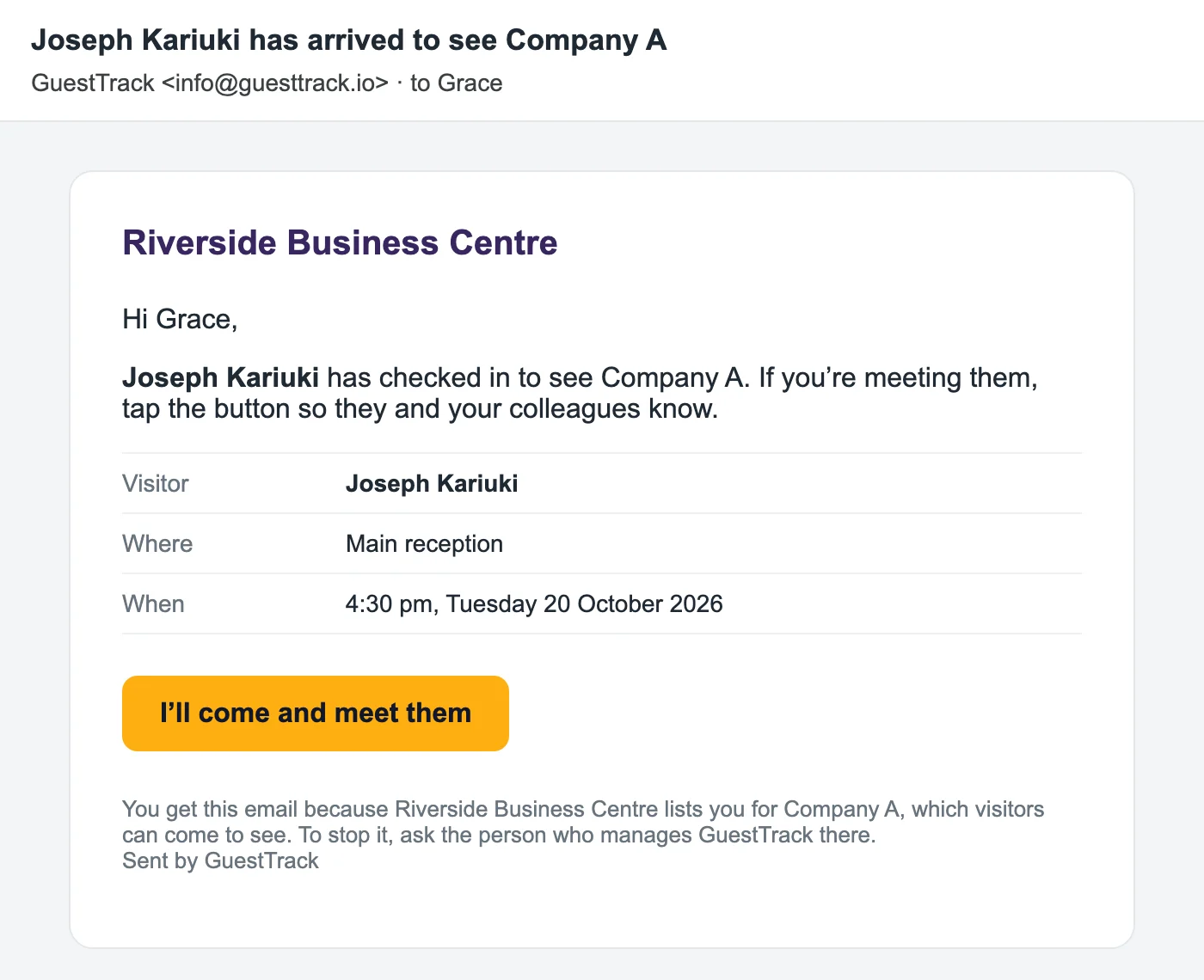
Everyone at Company A gets an email
Who is here, where and when, with one button: I'll come and meet them. A group that would rather use one shared inbox, such as its own reception, gets it there instead.
- 3
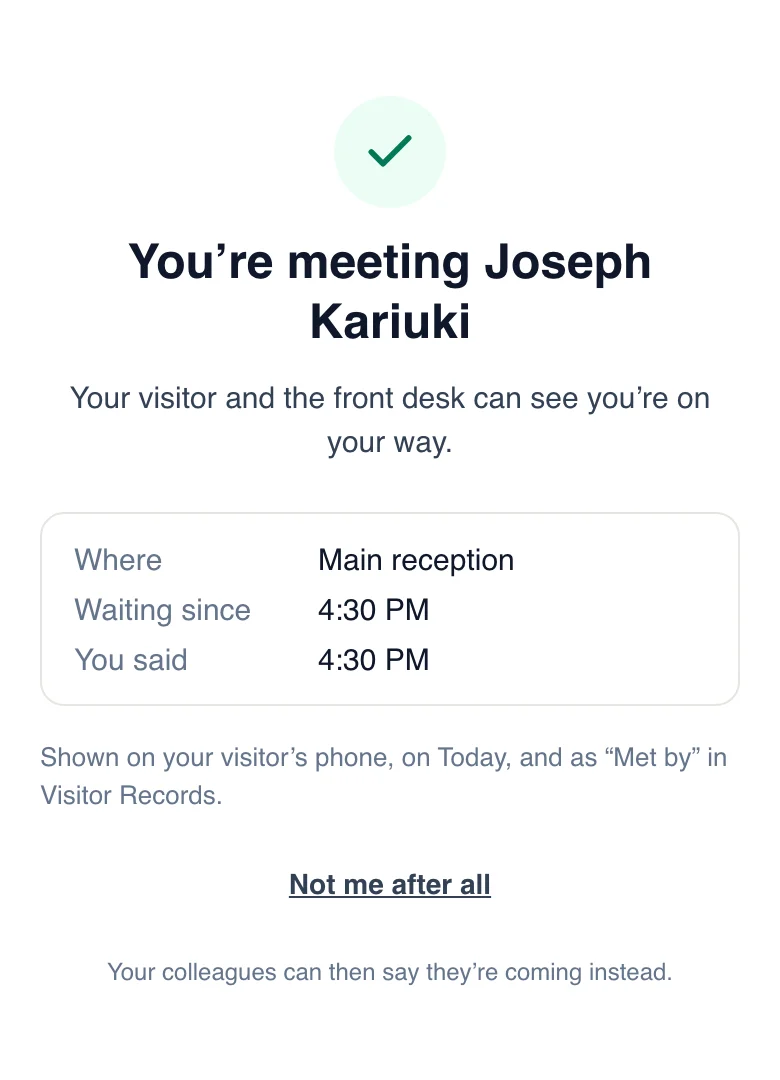
Grace taps first. Nobody else has to.
No sign-in, no app. The first tap takes it: a colleague who opens the email later sees that Grace is meeting Joseph and gets on with their day. Tapped by mistake? “Not me after all” hands Joseph back.
- 4
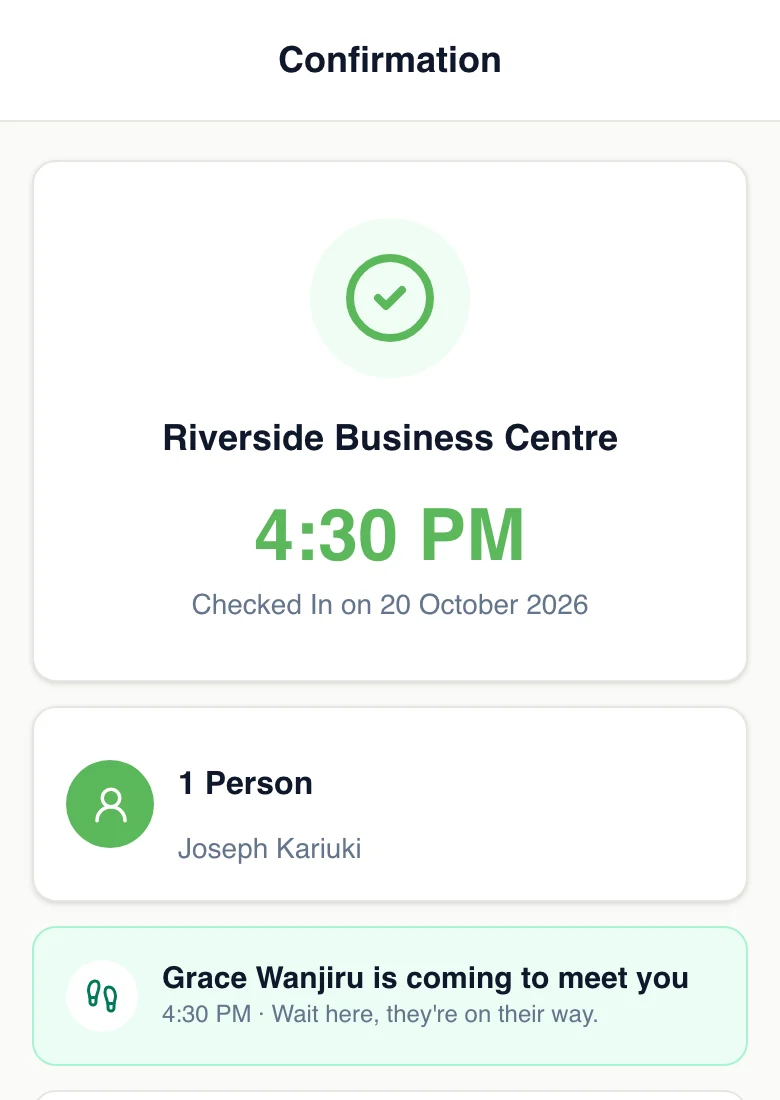
Joseph’s phone says who is coming
The page he checked in on updates by itself: “Grace Wanjiru is coming to meet you. Wait here, they’re on their way.” A name to look out for, instead of an anxious wait by the door.
At the front desk
Nobody left standing at the gate
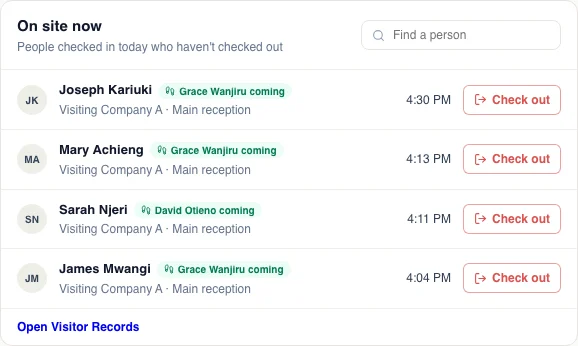
Today shows every visitor on site and who is coming for them. Anyone nobody has answered for after 5 minutes turns amber, so the desk can pick up the phone before the visitor has to ask.
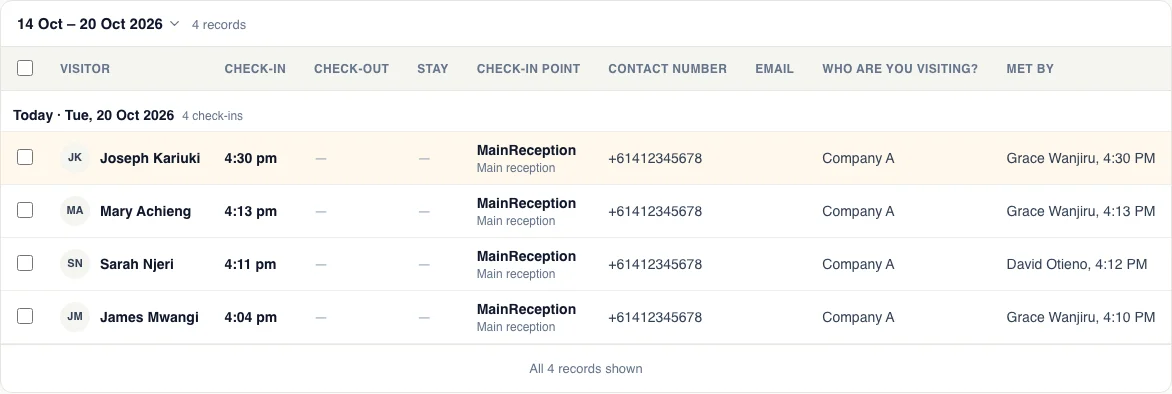
And the record remembers
Visitor Records and exports gain a Met by column: who came for each visitor, and when.
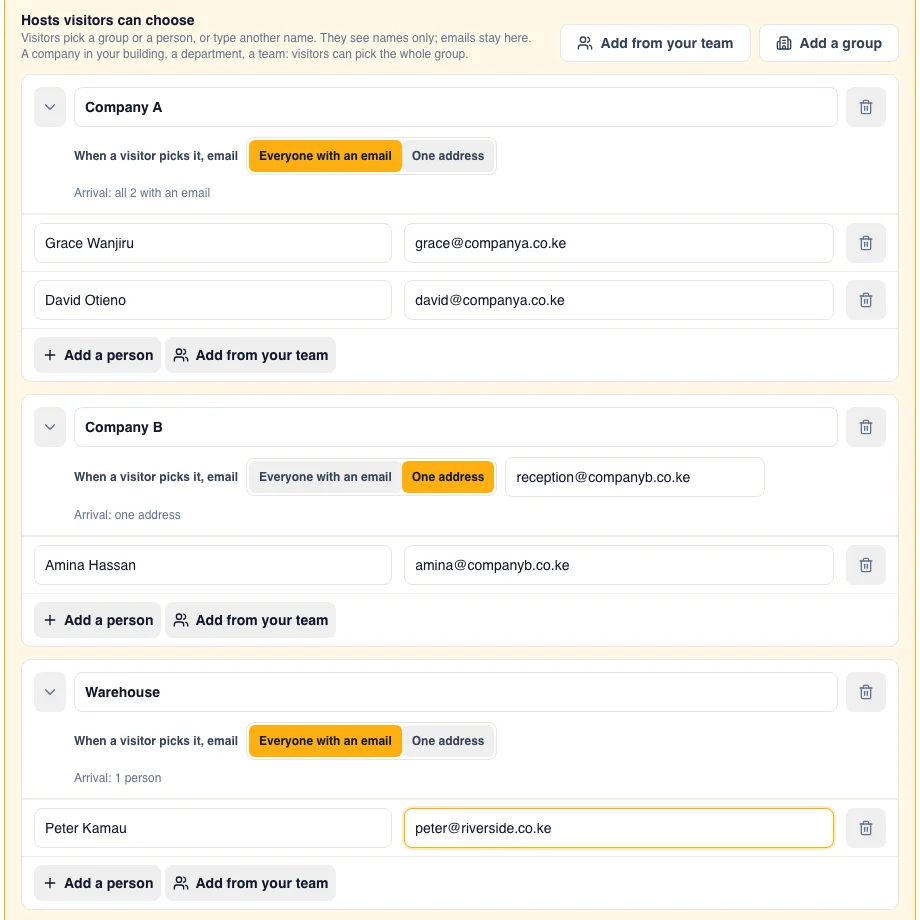
Set it up in a few minutes
- Add your people with their emails, or pick them from your team with “Add from your team”.
- Add “Who are you visiting?” to your check-in form. Visitors pick a name, or type one, and that person is emailed.
- Shared front desk, or several departments? Group your hosts, and choose who each group tells: everyone in it, or one shared inbox.
More than a “your visitor is here” email
Most visitor systems email one named host and stop there. If that person is in a meeting, the visitor waits. GuestTrack closes the loop.
Whoever is free comes
The whole group hears, and one person takes it. No guessing who ordered the parts.
The visitor knows
A name on their own phone instead of an anxious wait by the door.
The desk knows
Who is coming for whom, and who has been forgotten, on one screen.
The record knows
Visitor Records and exports show who met each visitor and when.
Which plans include it
Included in every plan from Starter, and in the 14-day free trial. It is part of your check-in form, so Starter, Growth and Portfolio all have it.
Compare plansQuestions
- Do we have to set up groups?
- No. Most teams just list their people: a visitor picks a name and that person is emailed. Groups only appear on the check-in form once you have two or more.
- Do the people being visited need a GuestTrack account?
- No. They get an email and tap the button in it. Only the people who run the front desk sign in.
- What if nobody taps the button?
- After 5 minutes the visitor turns amber on Today, so the front desk can call them. We don’t send more emails.
- Can someone change their mind?
- “Not me after all” hands the visitor back, and anyone else who was told can take them.
- What if the visitor names a person?
- Only that person is emailed, with the same button, so the visitor still sees they are on the way.
- Can visitors see our staff’s email addresses?
- No. The check-in form only shows the names of people and groups. Emails stay in your dashboard.