Visitor Records: every visit, ready when someone asks
Every check-in, from a QR code, a kiosk, the app or your front desk, lands in one list. Find a visit in seconds, hand an auditor a PDF, or ask an AI assistant who was on site.
Find any visit in seconds
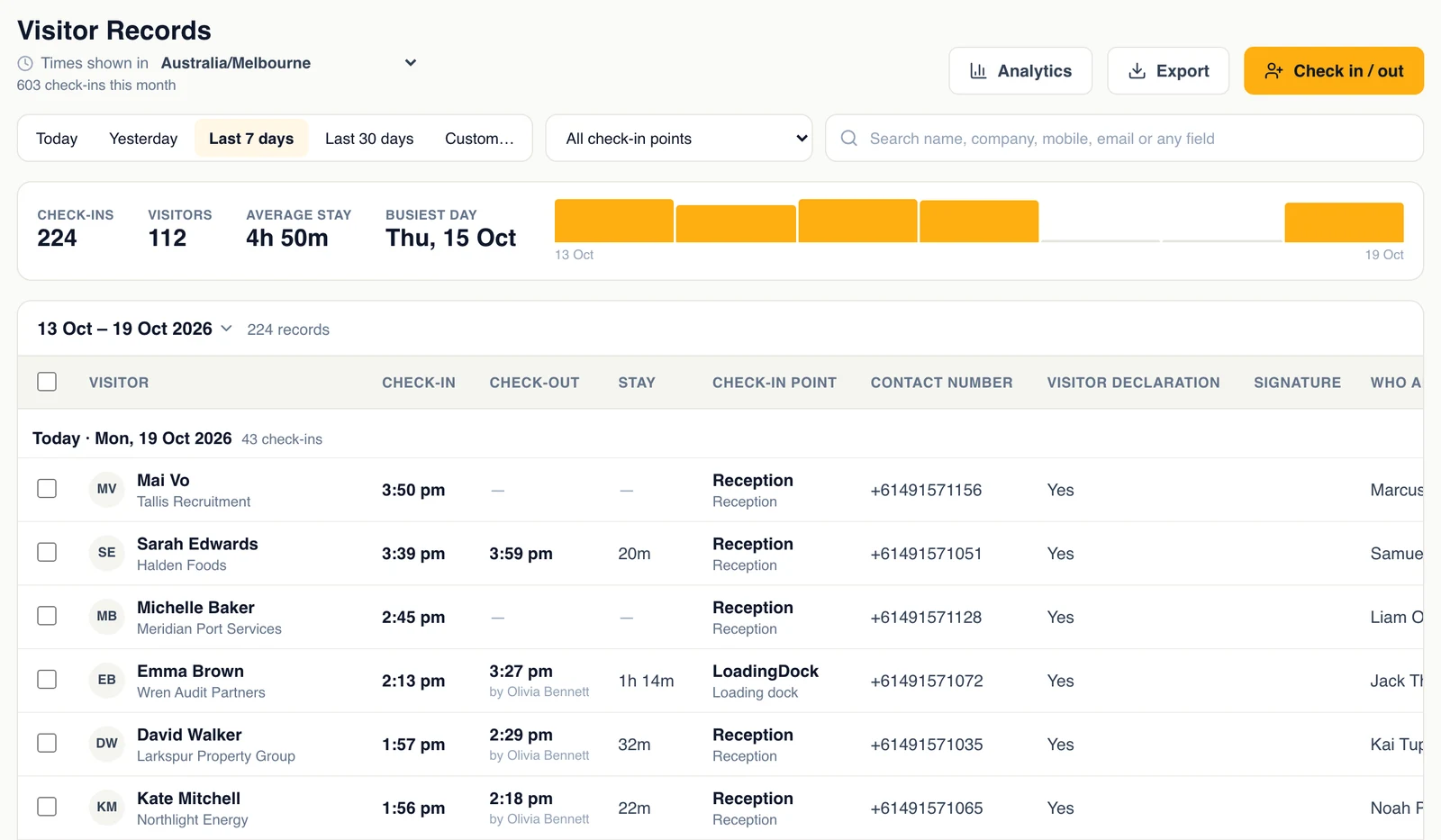
Pick today, yesterday, the last 7 or 30 days or any range, then search by name, company, mobile, email or any answer on your form. The strip above the list shows check-ins, unique visitors, the average stay and your busiest day. Click a day on the chart to see just that day.
- Filter by check-in point, or by who has not checked out
- Times shown in the time zone you choose
Open a visit to see everything
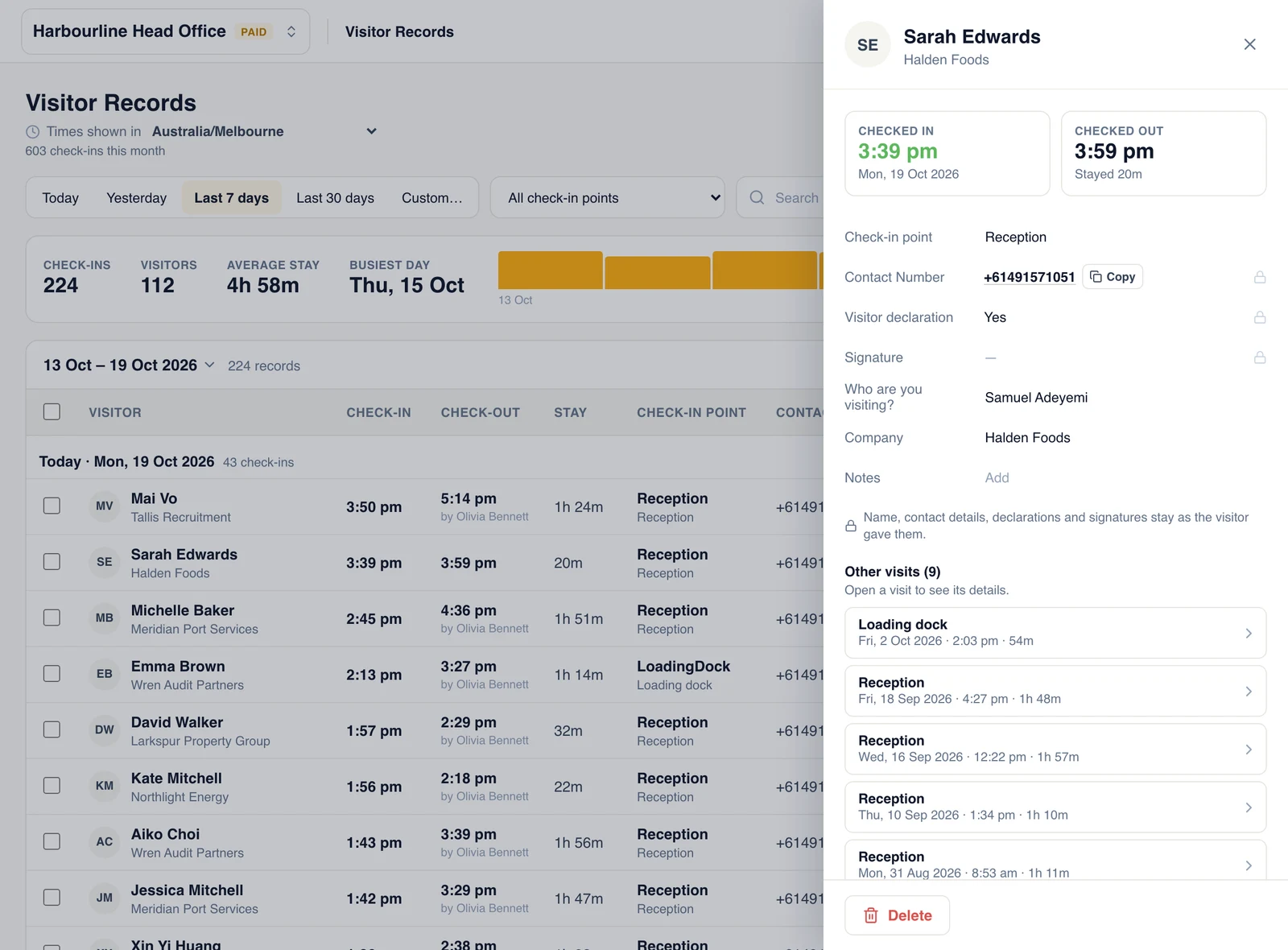
Each record shows when the visitor arrived and left, how long they stayed, every answer they gave and their other visits. Staff can add a note or correct an answer, and each change is kept with who made it and when. Names, contact details, declarations and signatures stay exactly as the visitor gave them.
- Check one visitor out, or tick many and check them out together
- Check-ins from the app show where they happened
Export for an audit, or just ask
Export what you are looking at as a CSV file for Excel or Google Sheets, on every plan and even after a plan has ended. On paid plans, export a PDF with signatures included, ready to hand to an auditor.
Or skip the spreadsheet: connect Claude, ChatGPT or Copilot and ask who visited last week, how long contractors stayed, or which days are busiest.
Bring in your paper sign-in sheets
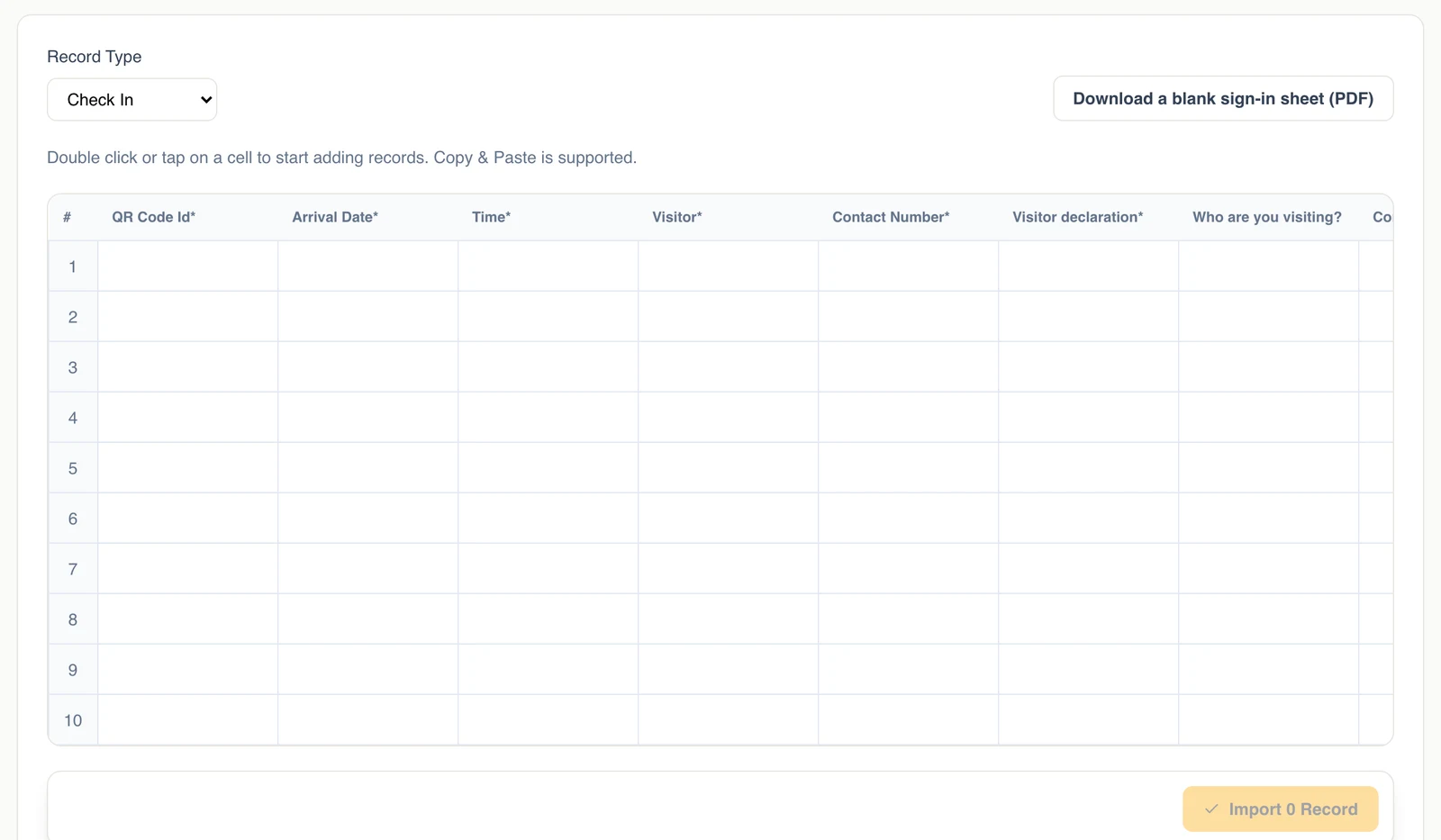
Moving from a paper book? Paste rows from a spreadsheet into Import Records, or type them in. Every row is checked before it is saved, and rows that need fixing are marked with the reason. Need a paper fallback for a power cut? Download a blank sign-in sheet to print.
- Past visits sit alongside new ones
- Import expected guests as invites, on plans with Invites
Built for compliance, not just a list
Access by role
Give someone Full Record Access to export and correct records, or Read Records Only to look. People who only check in see no records.
Encrypted
Records are encrypted at rest with AES-256 and in transit with TLS.
Keep them as long as you need
Choose how long records are kept: 14 days up to forever on paid plans, so a site that must keep them for years can.
Busiest days and hours
Analytics shows check-ins by week and by time of day, so you can staff the front desk when it is busy.
Proof of presence
Check-ins from the Check In app can be verified by location. Those that cannot be verified wait for your review.
Ask in plain English
Connect Claude, ChatGPT or Copilot once, then ask about your visitors instead of building a report.
Start keeping a record of every visit
Start a 14-day free trial, or log in and open Visitor Records.