Roll call and drills
Know who is still inside when the alarm goes.
Roll call puts everyone who is checked in on your wardens' phones, to mark Safe or Missing at the muster point. Run fire drills the same way, and keep a dated record of each one for your fire inspector or insurer.
On every plan, and in the free trial. No add-on.
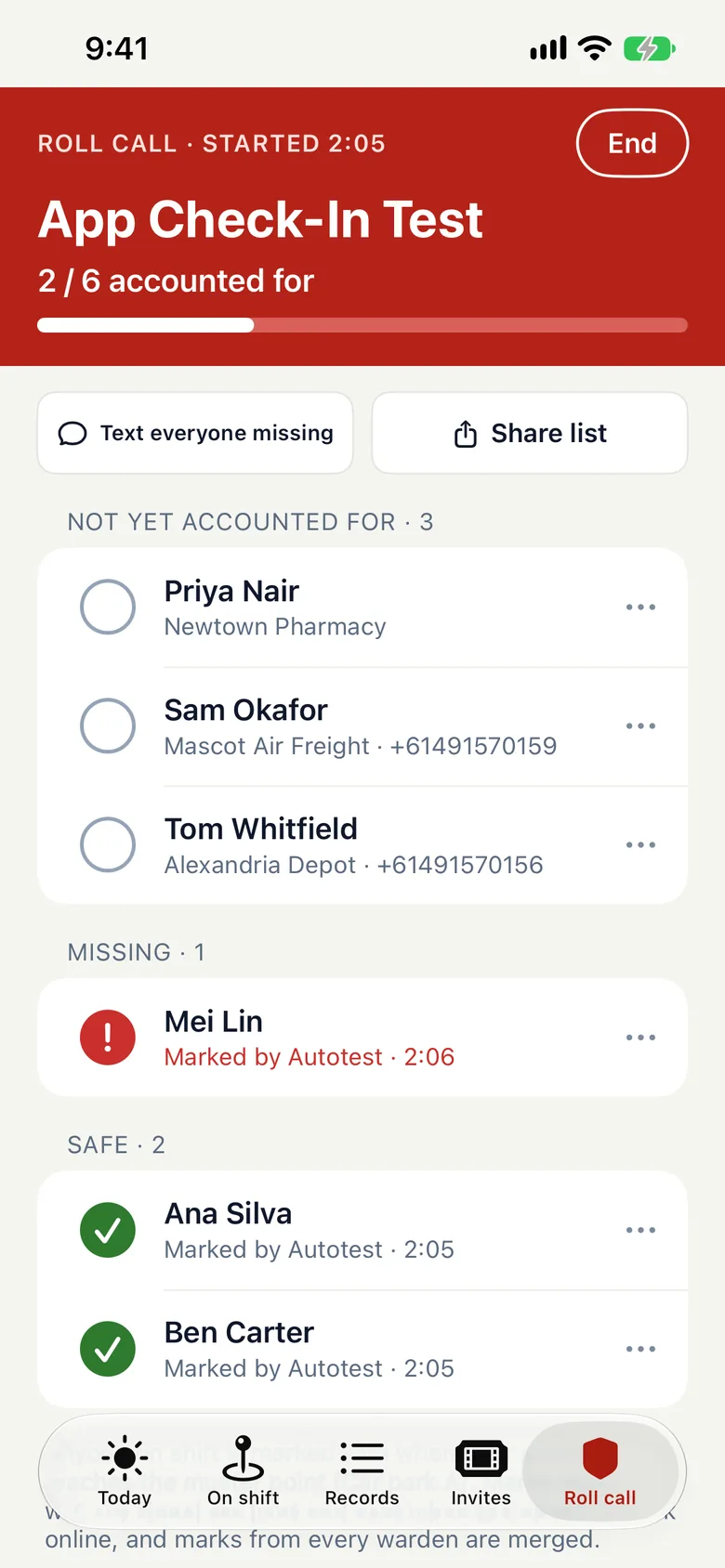
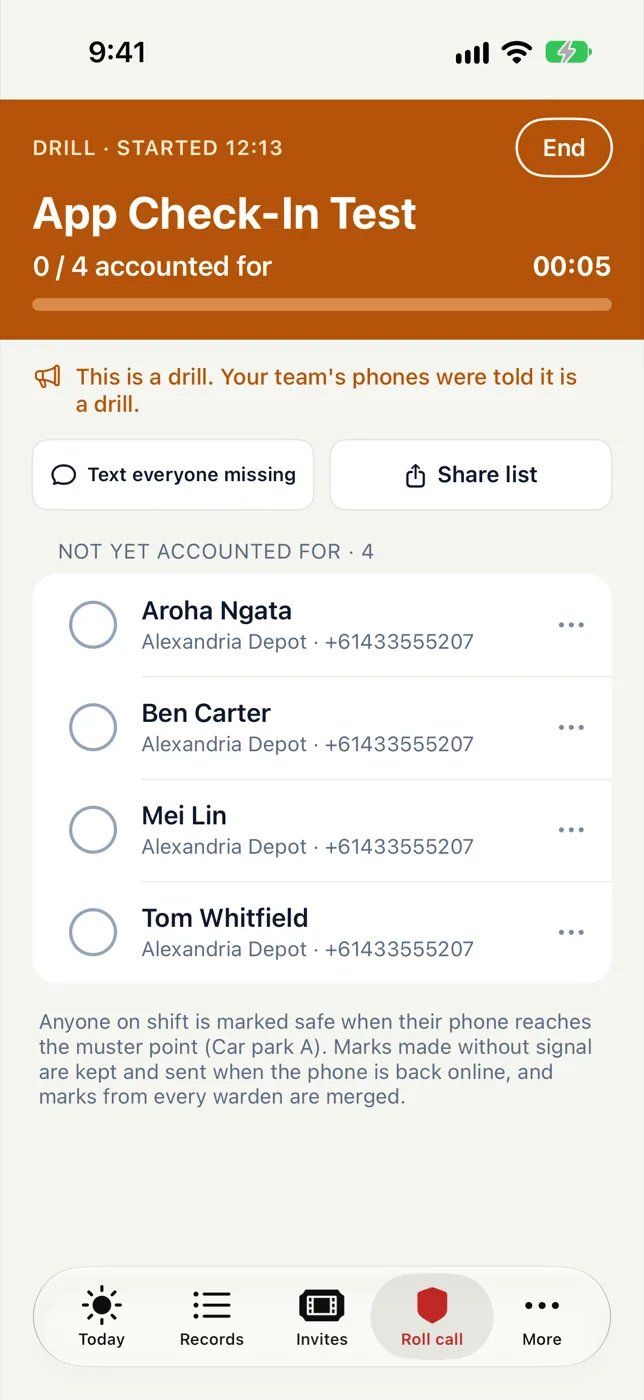
One button starts a roll call
There is nothing to set up first. Everyone who is checked in is already on the list.
On every phone
The roll call opens on your team’s phones. Marks from all of them go to one list, with or without signal.
Safe, Missing or Not here
One tap for each person. Staff on shift are marked Safe when their phone reaches the muster point.
Text who is missing
One tap texts everyone not yet accounted for.
Fire drills
Run a drill the same way
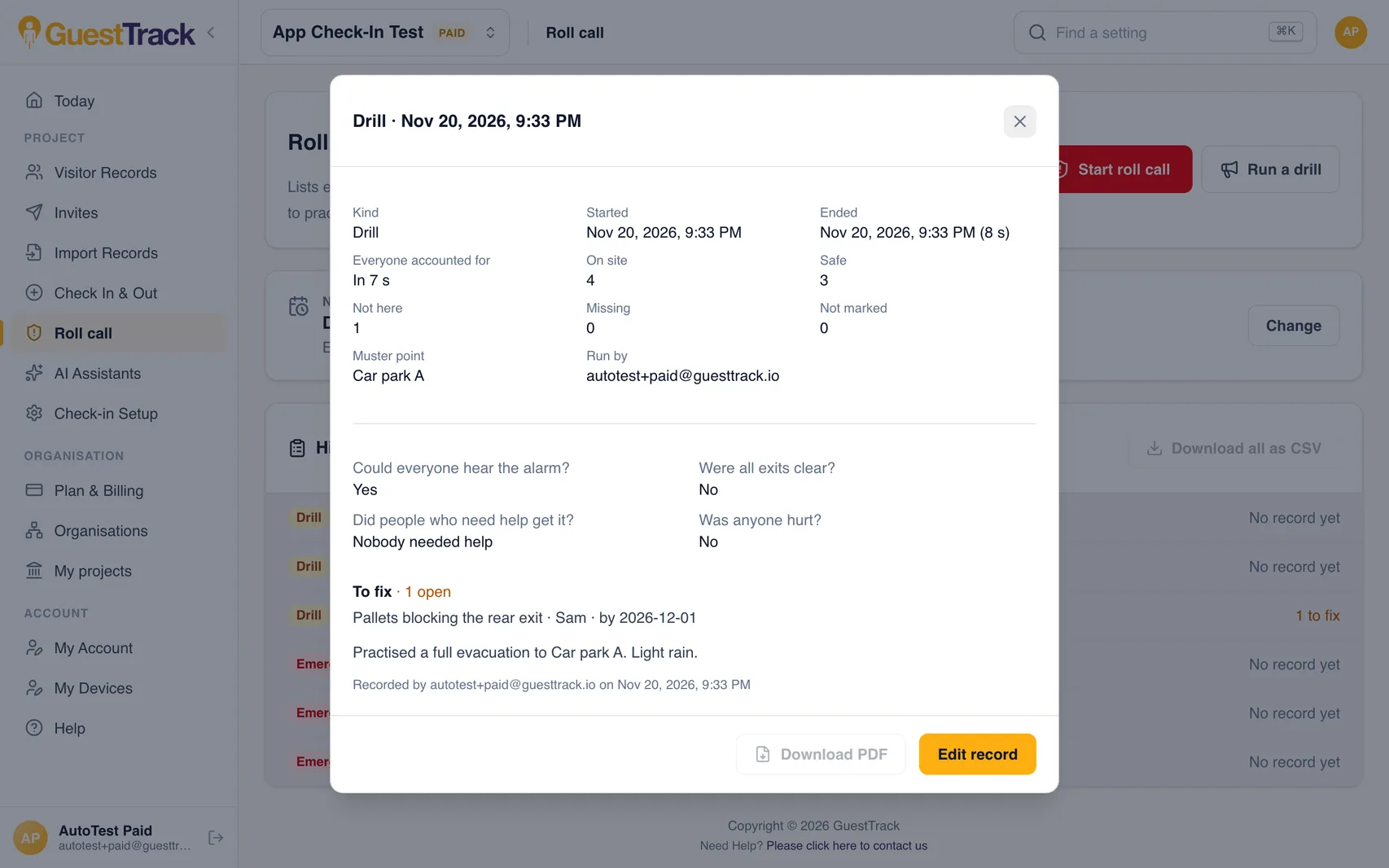
Run a drill is the same roll call, with “This is a drill” on every notification and text. When you end it, GuestTrack has the time it took and who was on site. You answer four questions and list what to fix.
- Each record as a PDF, with names
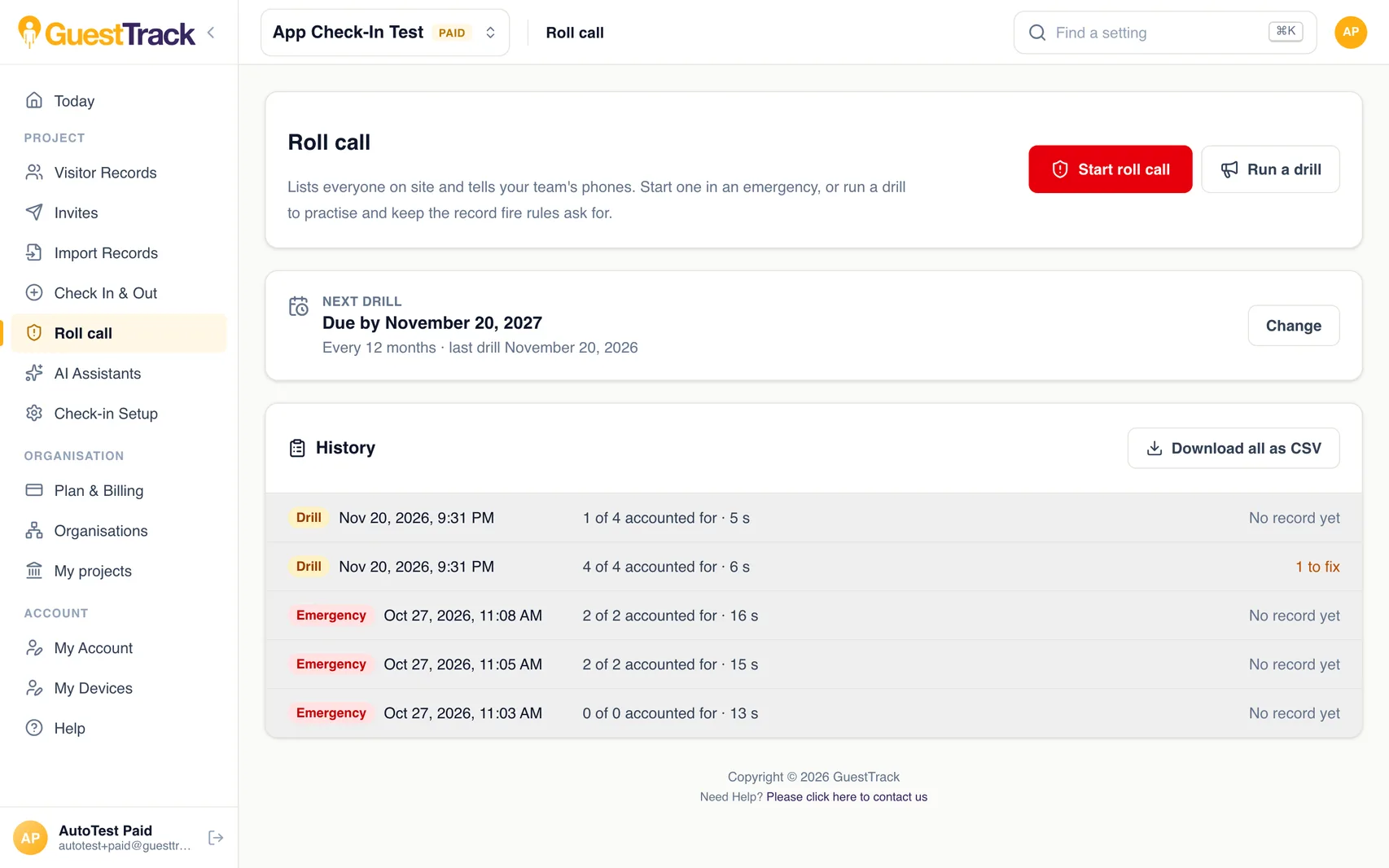
- The whole history as a spreadsheet
- Each thing to fix ticked off when it is done
- In New Zealand, the record as text for Fire and Emergency NZ's form
Next drill
A reminder before the next drill is due
Choose the kind of site. GuestTrack suggests an interval for your country, and you can change it.
| New Zealand | every 6 months |
|---|---|
| Australia | every 12 months |
| Australian childcare and schools | every 3 months |
| United Kingdom | every 12 months; schools each term |
| US schools and childcare | every month |
Your managers are emailed 30 and 7 days before. Your building, regulator or insurer may require drills more often.
Who uses it
Schools and childcare
A drill every term or every three months, with a record for the regulator.
Warehouses and depots
Drivers and contractors are on the list with staff.
Offices
Visitors are accounted for with everyone else.
New Zealand buildings
A trial evacuation every six months, with the record as text for Fire and Emergency NZ’s form.
Which plans include it
Every plan: Starter, Growth and Portfolio, and the 14-day free trial.
Compare plansQuestions
- Do I need to set anything up first?
- No. Roll call uses the people already checked in. A muster point and a drill schedule are optional.
- Who is on the list?
- Everyone who checked in during the last 24 hours and hasn’t checked out: visitors, contractors and staff.
- How do people know it is a drill?
- Every notification and text says it is a drill.
- Does GuestTrack make us compliant?
- No. It keeps the record and reminds you when a drill is due. What your site must do depends on your building and your regulator.
- Can I run it from the app?
- Yes. The GuestTrack app on iPhone and Android and the dashboard both start a roll call and run a drill. The PDF and spreadsheet downloads are in the dashboard.
- Does it work without signal?
- Yes. Marks made in the app without signal are kept on the phone and sent when it is back online.
- Who can start one?
- Anyone on your team who can check visitors in. Owners, administrators and project managers set the muster point and the drill schedule.