A sign-in record for livestock export depots
Drivers, stock agents, vets, inspectors and contractors sign in at the gate with their phone and sign out on the way out. You know who is in the yards, where they came from and what they agreed to, and the records are there when someone asks.
Everyone who comes through the gate, on one record
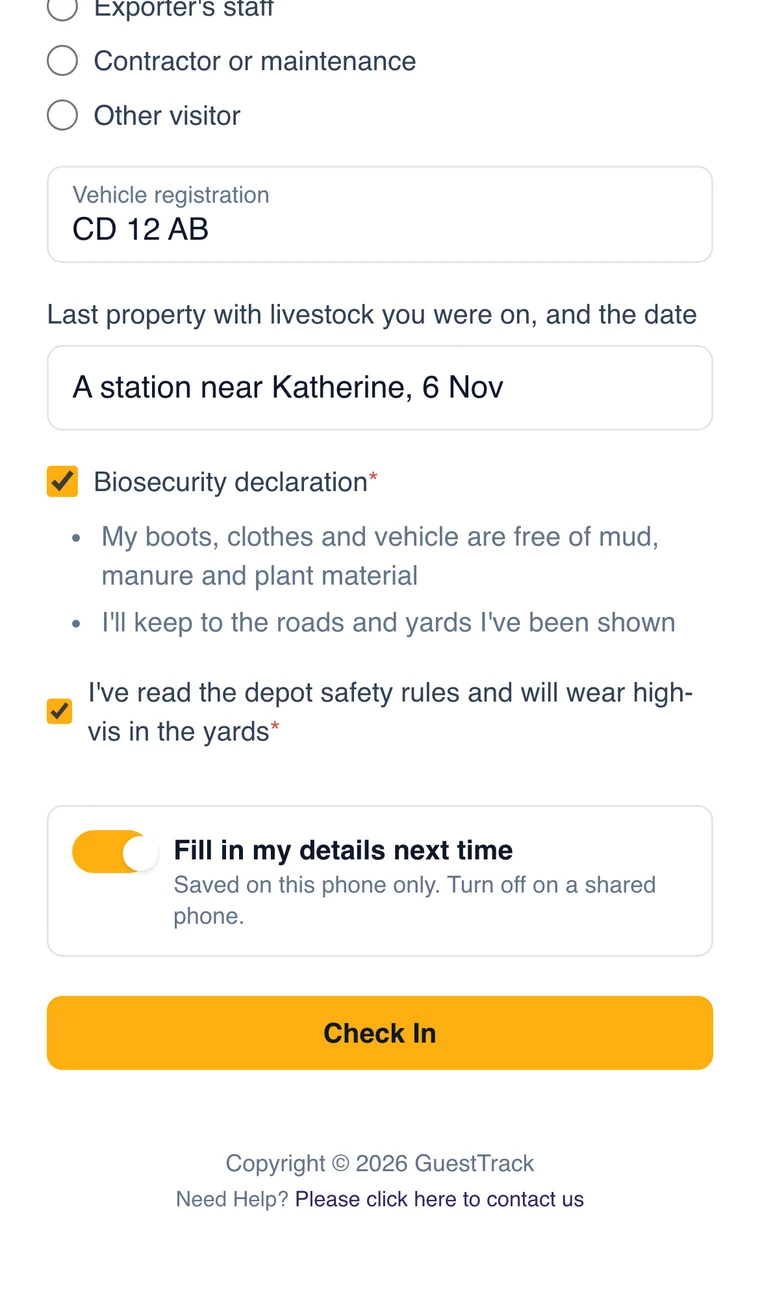
Print a QR code for the gate and another for the office. Truck drivers, stock agents, vets, inspectors, exporters' staff and contractors scan it with their phone camera and answer your questions: their company, why they are here and their vehicle registration. No app to install, and their details are saved on their phone, so a driver who comes every week signs in with a tap.
- Company, and why they are on site
- Vehicle registration
- Any other question your depot needs
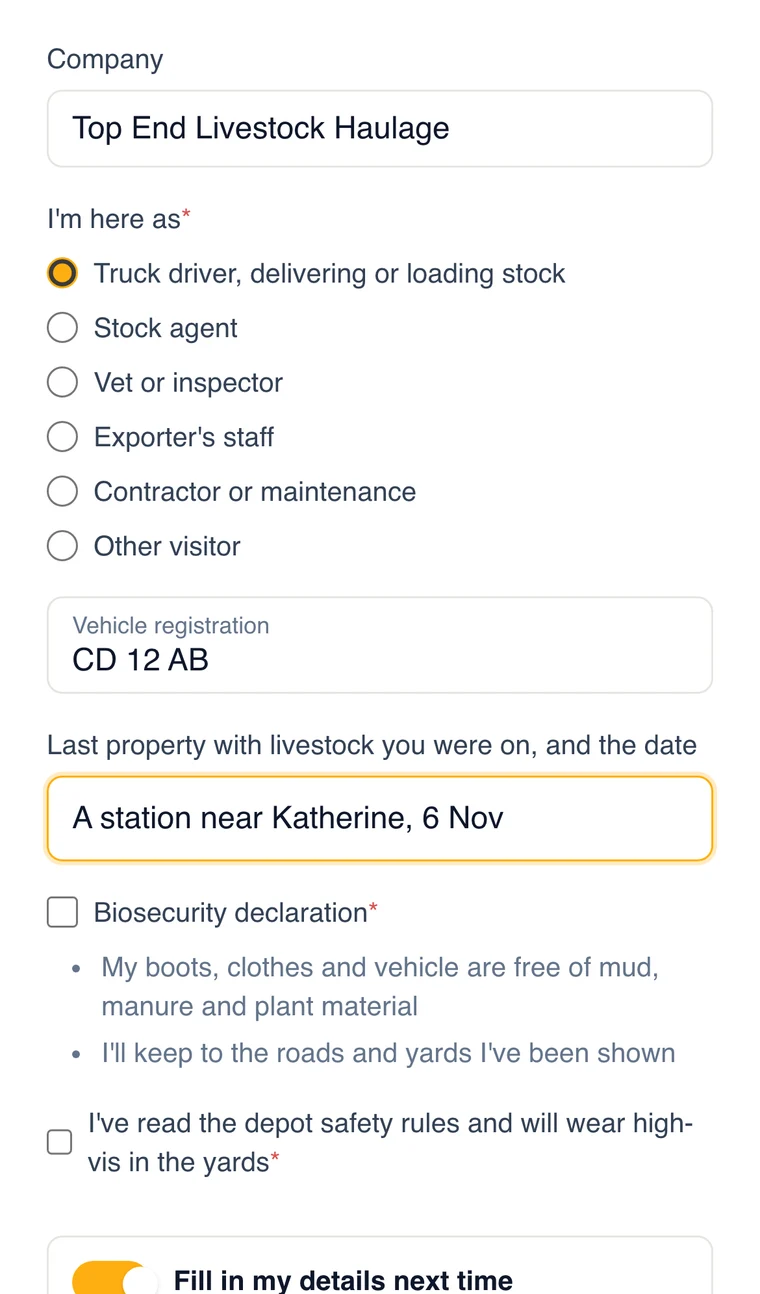
Where they have been, and what they agreed to
Ask for the last property with livestock each person was on, and when. Add a biosecurity declaration in your own words, such as clean boots and vehicles and keeping to the roads and yards they are shown, and a safety declaration for the yards. Make them required, so nobody signs in without agreeing, and add a signature if you want one. The answers are kept with the time of each sign-in.
- The last property with livestock, and the date
- A declaration they tick before they can sign in
- A signature, a photo of a licence or a file, if you need them
Know who is in the yards right now
People sign out on the way out, from their phone or a check-out QR code at the gate. Today shows who is still on site and since when, which matters in an emergency, and wardens can run a roll call in the GuestTrack app. Anyone who forgets to sign out can be signed out at closing time, on paid plans.
- Who is on site now, and since when
- Check-out at the gate
- Automatic check-out at a time you choose
The records, ready when someone asks
Every sign-in is kept with its answers, declarations and times in and out. Search any day or any person, and export to a spreadsheet, or to a PDF with signatures on paid plans, when an auditor, an exporter or the department asks who was on site. The Daily Report emails the day's list to the depot manager at a time you choose.
- Search by day, person or answer
- Export to CSV, or PDF with signatures
- A Daily Report email with a CSV, to up to 10 people
Parts, tags and vet supplies, to the right person
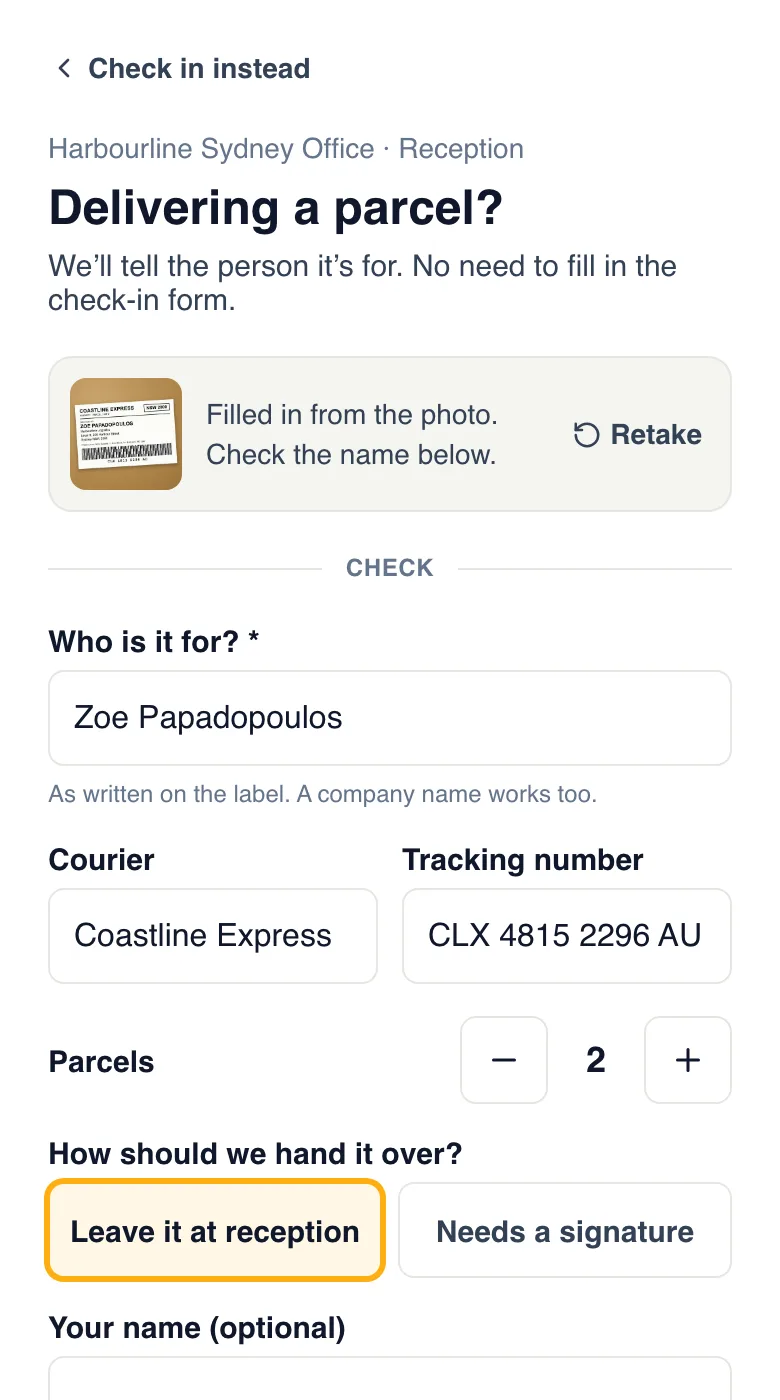
Couriers use the same QR code at the office and choose Delivering a parcel. A photo of the label fills in who it is for, and that person is told by email, Slack or the GuestTrack app, and says what to do with it. Parcels are kept apart from visits, so they never fill up the on-site list or count towards your plan's check-ins.
- A photo of the label fills in the name
- The person it is for is told straight away
- Parcels waiting, and who collected them, on Today
A field day or open day, checked in with one scan
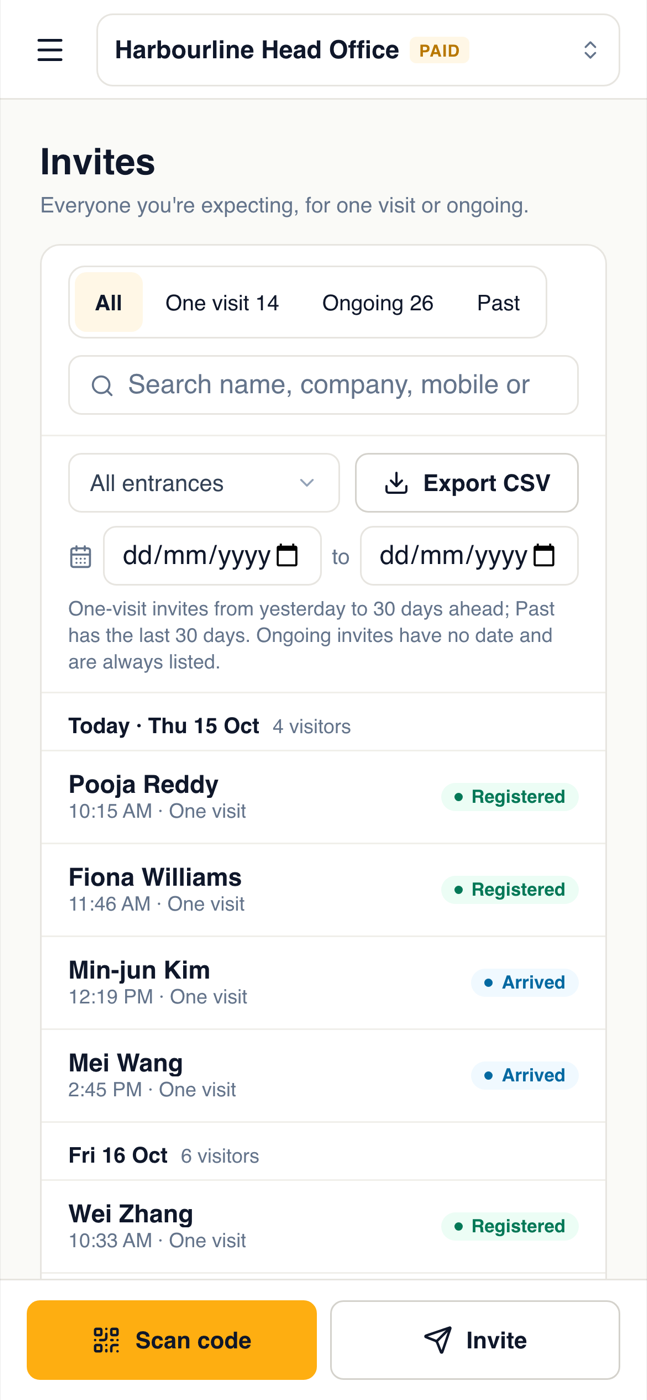
Invite everyone coming to a field day, a training day or a buyers' visit, or paste the list from a spreadsheet. Each person gets their own code by email, which they can add to Apple or Google Wallet. At the gate, your staff tap Scan code in the GuestTrack app on their phone and check each person in with one scan. Anyone not on the list signs in with the QR code as usual. On Growth and Portfolio, and in the free trial.
- Everyone expected, on one list
- Staff scan codes with the GuestTrack app
- Walk-ups sign in with the QR code
Questions depots ask
- Can we use our own biosecurity questions and declaration?
- Yes. Write the questions and the declaration in your own words, and make them required. Change them any time; every record keeps the answers the person gave.
- Does GuestTrack make our depot compliant?
- GuestTrack records who came on site, when, what they answered and what they agreed to, and gives you those records when you need them. Whether that meets your obligations is for your biosecurity plan and the people who audit it.
- What if the gate has poor mobile coverage?
- Put the QR code where there is signal, such as the office, or use a tablet with the Welcome Screen on the office Wi-Fi. Your own staff and regular drivers can use the Check In app, which works with no signal.
- Do truck drivers need to download an app?
- No. They scan the QR code with their phone camera and fill in a web page. Next time their details are filled in for them.
- What does it cost?
- Every plan is priced per site, with a 14-day free trial and no card needed to start. See the plans
Made for a depot
A tablet in the office
The Welcome Screen turns any tablet into a sign-in kiosk for people without a smartphone.
Your own team, with no signal
Staff and regular drivers can use the Check In app, which saves a check-in on the phone and sends it when there is signal. On Growth and Portfolio.
In and out times
How long each person was on site, for every visit.
A daily report
The day’s sign-ins emailed to the depot manager, with who is still on site.
Exports in seconds
Any day or month, to a spreadsheet, for your own checks or an audit.
Kept private
Records are encrypted, and only the people you give access can see them.
Set up your depot in ten minutes
Start a 14-day free trial, add your questions and declaration, and print the QR code for the gate.