Staff and volunteer check-in for community centres
Staff, volunteers, visitors and class participants check in and out at the door with their phone or a tablet. You know who is in the building when the fire alarm goes, and have arrival and leaving times for your volunteer reports.
Check-in for staff, volunteers and visitors
Put a QR code by the door. People scan it with their phone camera and say whether they are staff, a volunteer, a visitor or here for a class, and where they are today. Their details are saved on their phone, so next time they check in with one tap.
- Staff, volunteer, visitor or a class
- Front desk, op shop, kitchen or hall
- Checked out automatically after a set time, for anyone who forgets
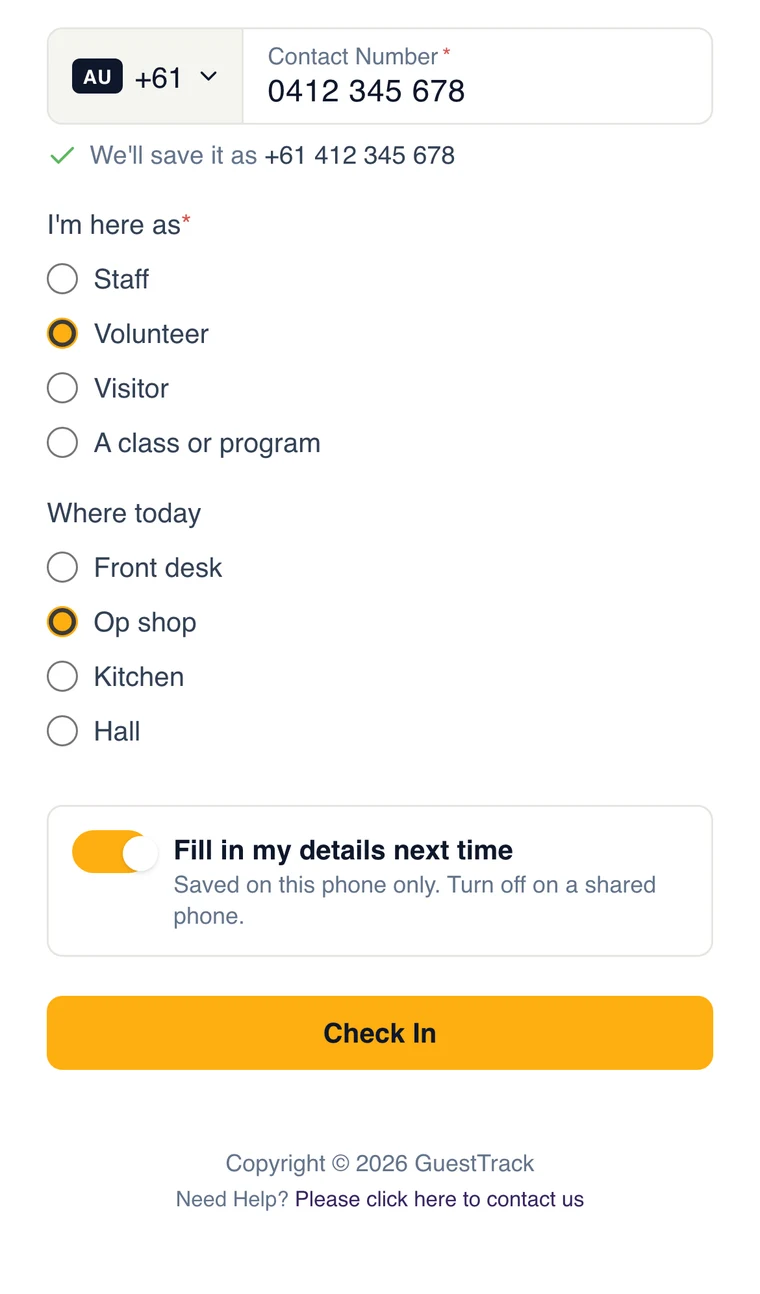
The centre, the op shop and the hall, in one place
Each building or room gets its own QR code. Everyone checks in on the same form, and the records are together, with the place each person checked in at.
Classes, programs and community events
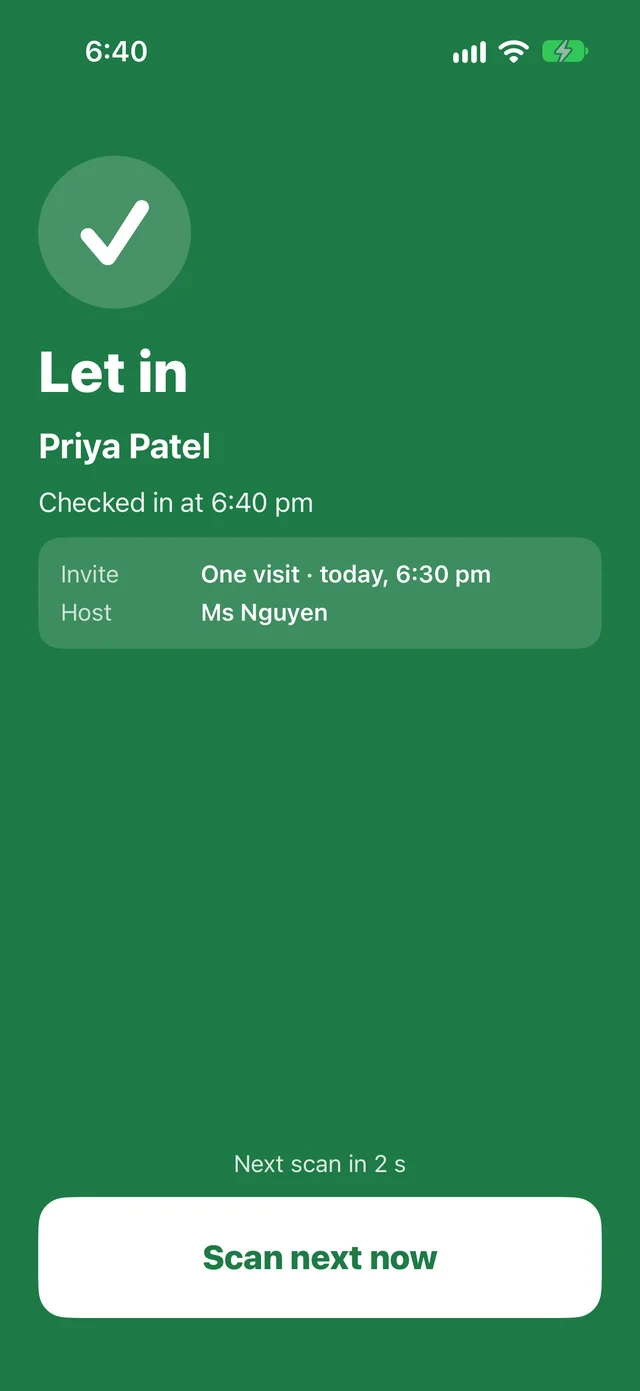
People register for a workshop or a community lunch from a link, and get a code by email or in their phone's wallet. Regulars of a weekly class get one ongoing invite and check in with one tap. At the door, your team scans codes with the GuestTrack app, and walk-ups check in on the same form.
Afterwards you see who registered, who came and who didn't, for the program report. See how events work.
- Registration from a link or your website
- An ongoing invite for each weekly class
- Who registered, who came, who didn’t
A tablet at the front desk
Not everyone carries a smartphone. Open the Welcome Screen on any tablet and leave it at the front desk: people check in on the screen and check out with one tap on the way home. Staff can also check someone in or out from the dashboard or the GuestTrack app.
- Any iPad or Android tablet, with no app to install
- A PIN so only staff can leave the screen
- Works next to the QR code, on the same records
Know who is inside when the fire alarm goes
Today shows who is still in the building and since when. When the alarm goes, start a roll call from your phone and mark each person safe at the assembly point. Run fire drills the same way, and keep a dated record of each one. See roll call.
- Who is in now, and since when
- Roll call on the GuestTrack app or the dashboard
- A dated record of every drill
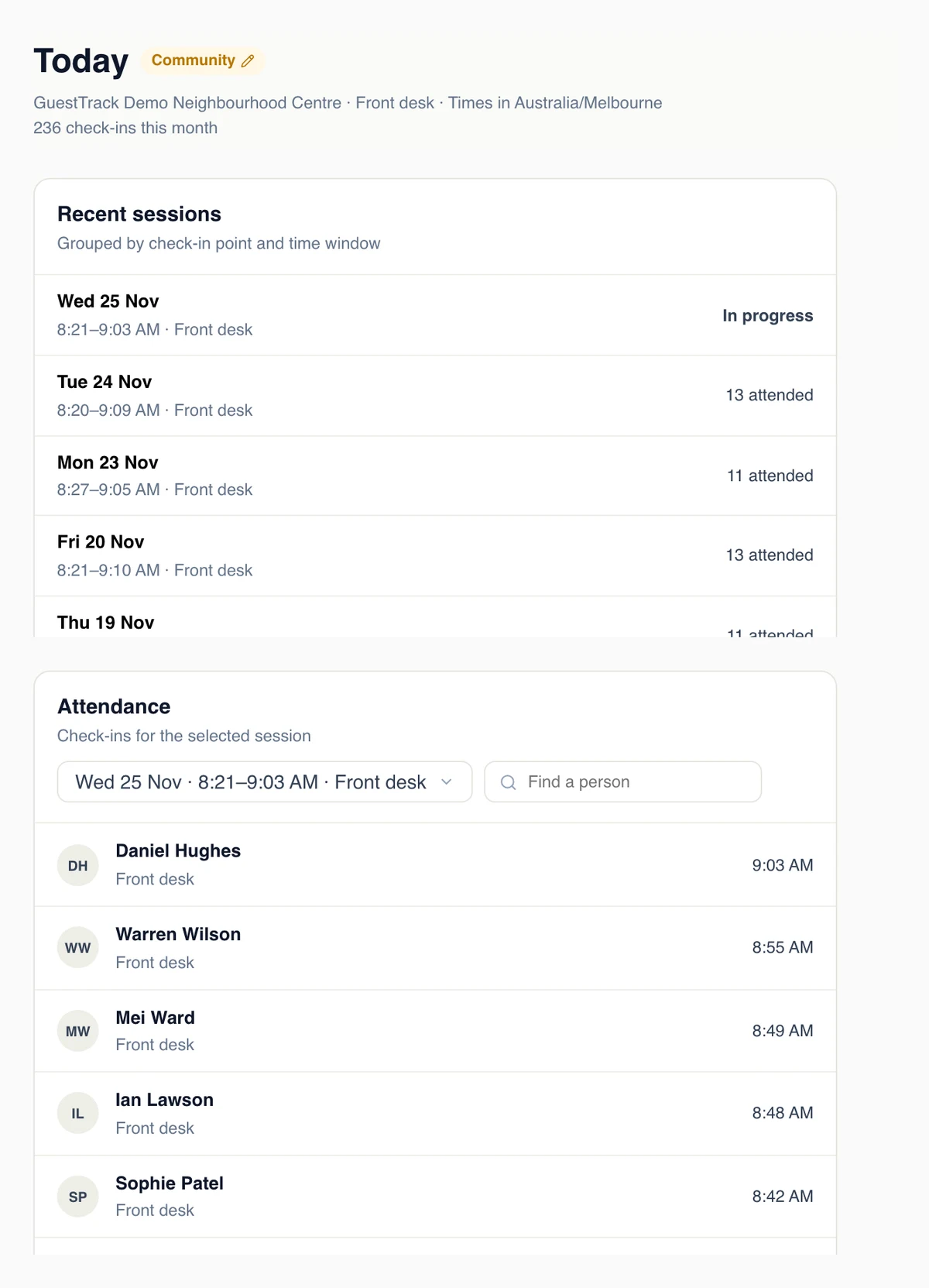
Arrival and leaving times for your reports
Every check-in records when someone arrived and when they left. Export them to a spreadsheet for volunteer hours, the annual report or a funding acquittal, or have the day's check-ins emailed to the coordinator. See the daily report.
- Filter by person, place or date
- Export to a spreadsheet any time
- Kept for as long as you choose
Made for a centre run with volunteers
Any phone, no app
People use their camera and a web page, with nothing to download.
A tablet for the desk
The Welcome Screen works on any tablet, on every plan.
Automatic check-out
Anyone who forgets is checked out after the time you set.
A daily report
The day’s check-ins emailed to the coordinator at a time you choose.
Numbers for your reports
Attendance and hours for the annual report or a funding application, in seconds.
Kept private
Details are encrypted, and only the people your centre gives access can see them.
Set up your centre in ten minutes
Start a 14-day free trial, add your questions and print the QR code. Registered non-profits can apply for a discount.