Approval to enter
Nobody walks in until someone says yes.
A visitor checks in at the gate and waits. The person they came to see gets an email with three buttons: Let them in, I'll come and meet them, or Not today. One tap, and the visitor's own phone shows the answer. Reception can answer too, from Today.
Works in the browser. No app for visitors, no account for the people they visit.
How it works, in four steps
From the scan at the gate to an answer on the visitor's phone, usually in under a minute.
The visitor
Checks in and waits
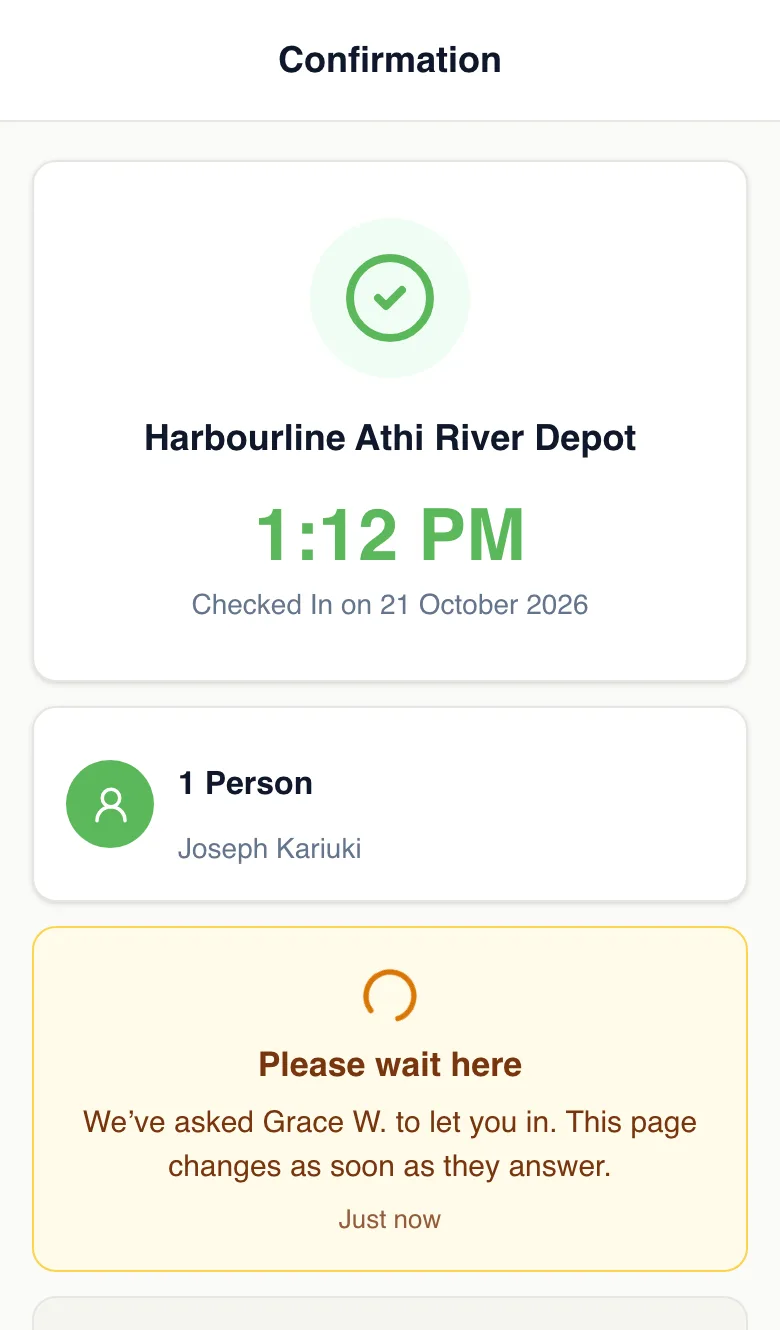
They scan the QR code at the gate, fill in your form and pick who they’re here to see. Their page says “Please wait here”.
The host
Is asked by email
“Joseph is asking to come in”, with three buttons. At the same moment the visitor shows on Today at the front desk.
Host or front desk
Someone answers
Let them in, I’ll come and meet them, or Not today, with a message if they like. The first answer counts.
The visitor
Sees the answer
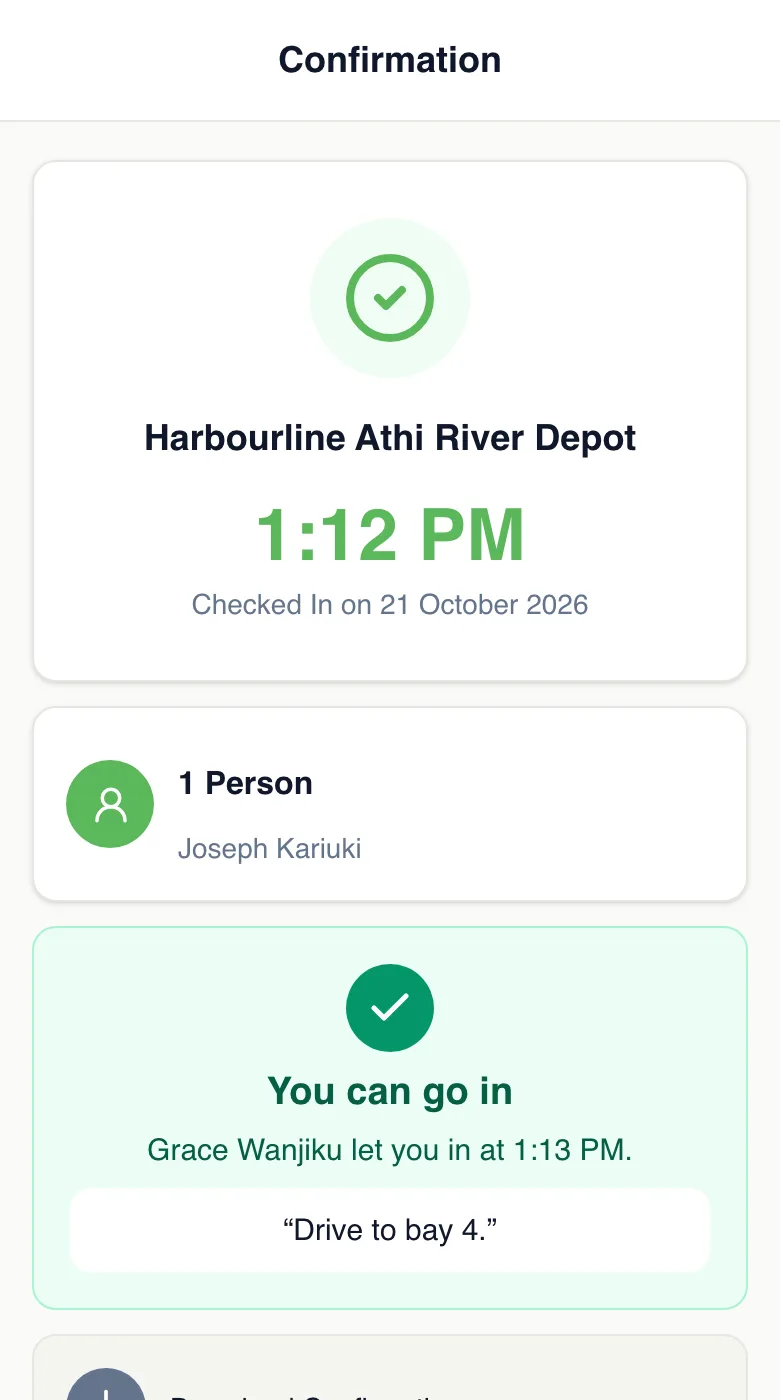
Their page changes by itself: “You can go in”, or “Daniel can’t see you today”, and they’re checked out.
Nobody answers? When the wait you chose is up, the visitor's page asks them to see reception, and they turn red on Today. Nobody is turned away without an answer.
Watch it set up, start to finish
A new project for a depot, its hosts and the gate. Then two drivers: one let in from an email, one told not today from the front desk. Three minutes.
From the gate to the loading bay
Joseph delivers to a depot. These are the real screens he and Grace see.
- 1
Joseph checks in at the gate
He scans the QR code, enters his name and number, and picks Grace. Instead of a green light, his page tells him to wait. It keeps checking for an answer, so he doesn’t have to do anything.
- 2
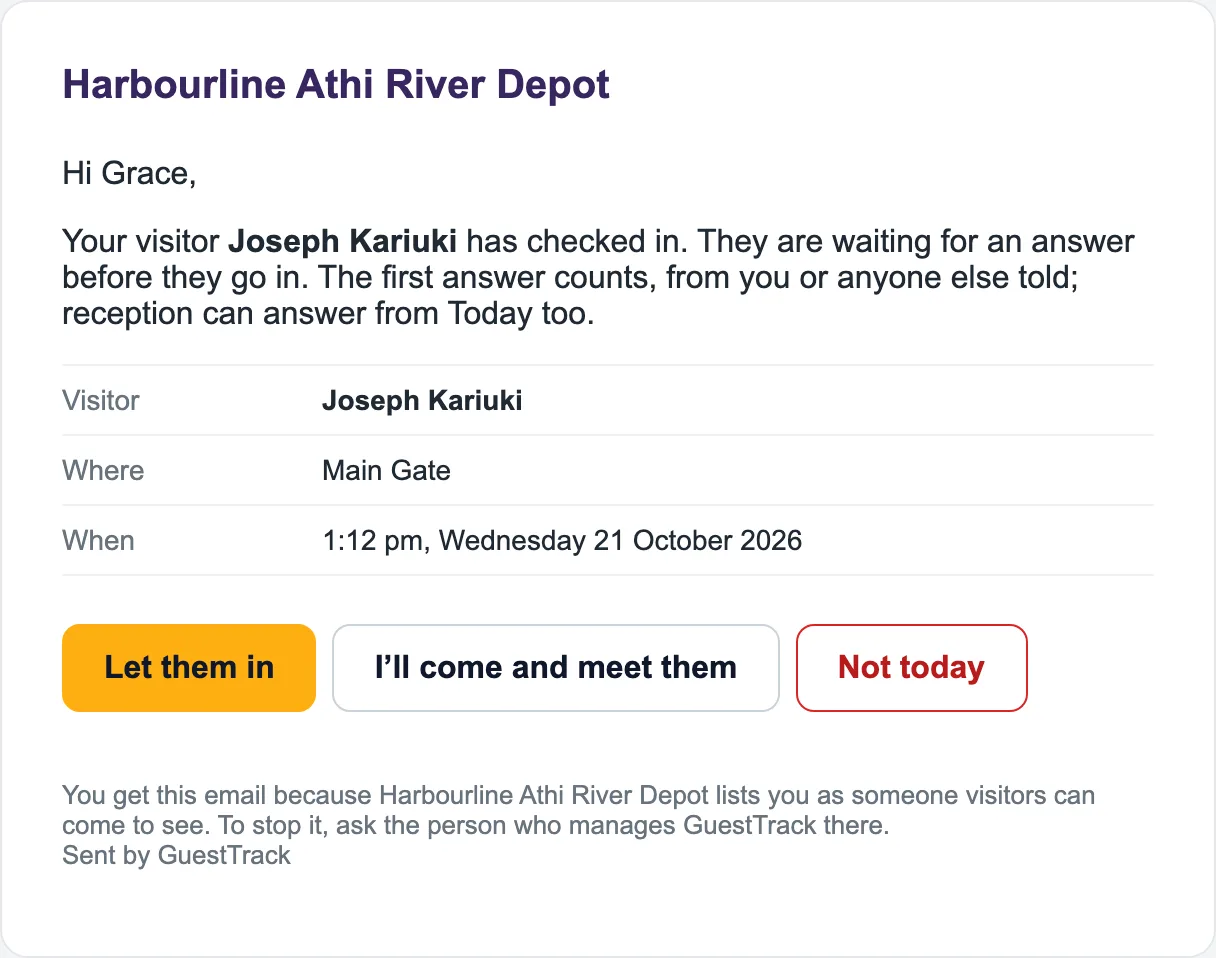
Grace is asked: can he come in?
The email says who is at which gate, with three buttons. No sign-in, no app. If Grace is busy, anyone else who was told, or the front desk, can answer instead.
- 3
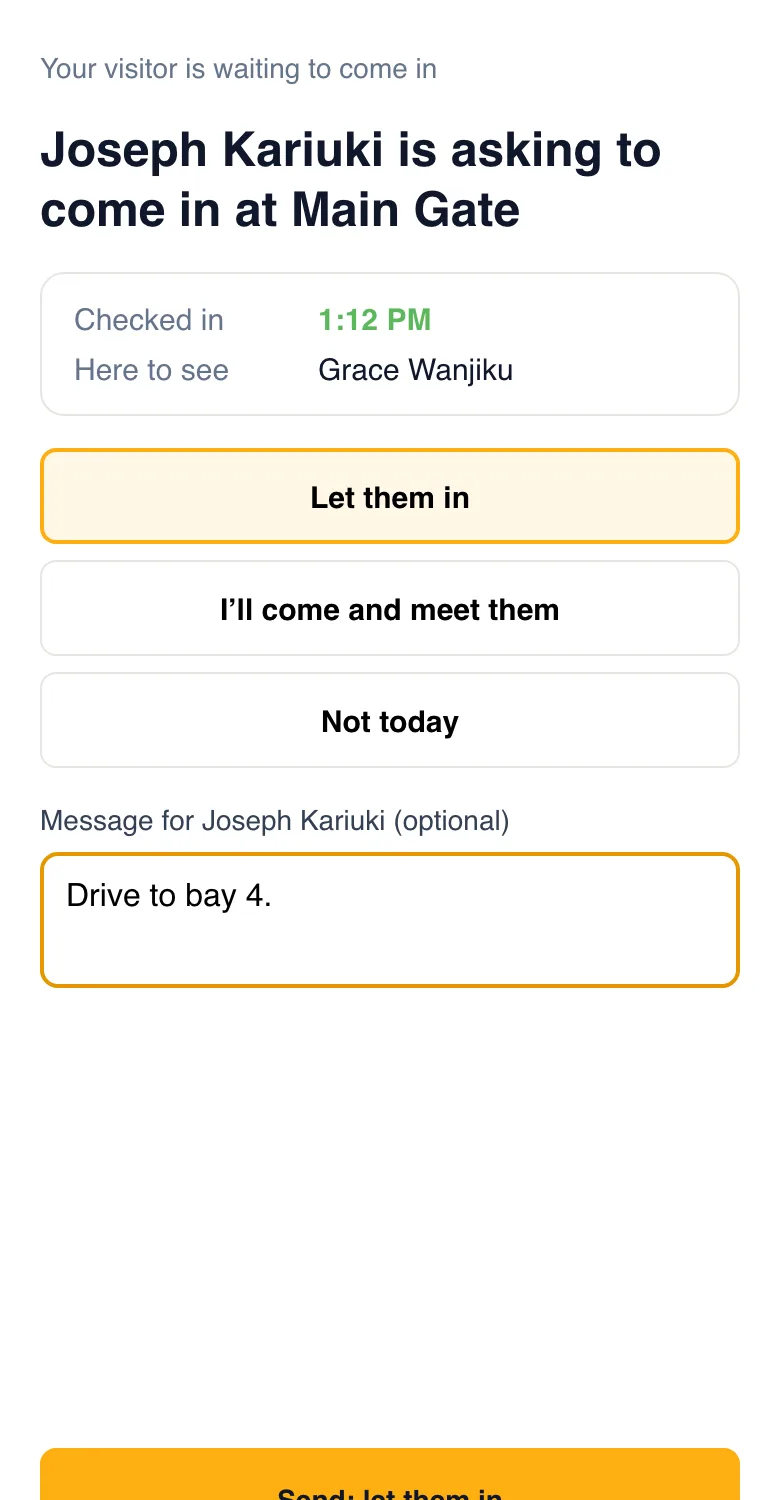
One tap, a message if she likes, Send
The button opens a page with her answer already picked. Nothing is sent until she taps Send, so a tap by mistake costs nothing. She adds where to go.
- 4
Joseph’s page says he can go in
Within seconds, with Grace’s message. Had she chosen “I’ll come and meet them”, it would also say she’s on her way. No phone calls from the gatehouse.
Three answers, each with what happens next
Every answer can carry a short message, shown to the visitor on their screen.
Let them in
The visitor sees “You can go in”, with who let them in and the message: “Drive to bay 4.”
I’ll come and meet them
They can go in, and their page also says who is coming to meet them. Visitor Records shows who met them.
Not today
The visitor is told kindly, with your message, and checked out at once, so your on-site list stays right.
At the front desk
Reception can answer for anyone
Today lists everyone waiting to come in, the longest wait first. Anyone with check-in access can tap Let in or Not today. A visitor who has waited past your limit turns red, so nobody stands at the gate forgotten. Visitors who didn't pick a host are answered here.

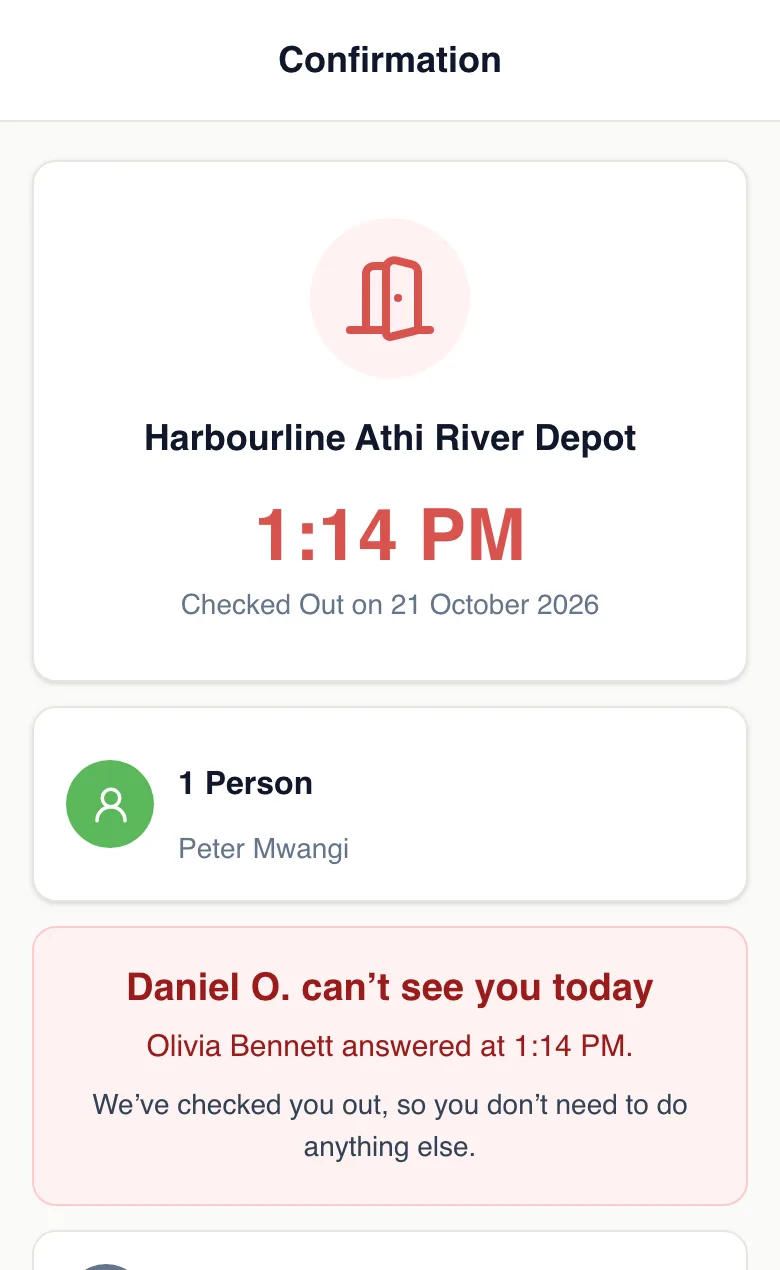
Not today, and they're checked out
Daniel is away, so the front desk answers for him. Peter sees it on his phone straight away, and he is checked out, so the list of who is on site stays right.
For doors that shouldn't just open
Turn it on for every check-in point, or only the ones that need it, like the gate but not the office.
Depots and yards
Drivers wait at the barrier until the yard says which bay.
Construction sites
The site manager okays each contractor before they step past the gate.
Secure offices and labs
Visitors wait in the lobby until their host comes down for them.
Schools
The office lets parents and contractors in, and keeps a record of who said yes.
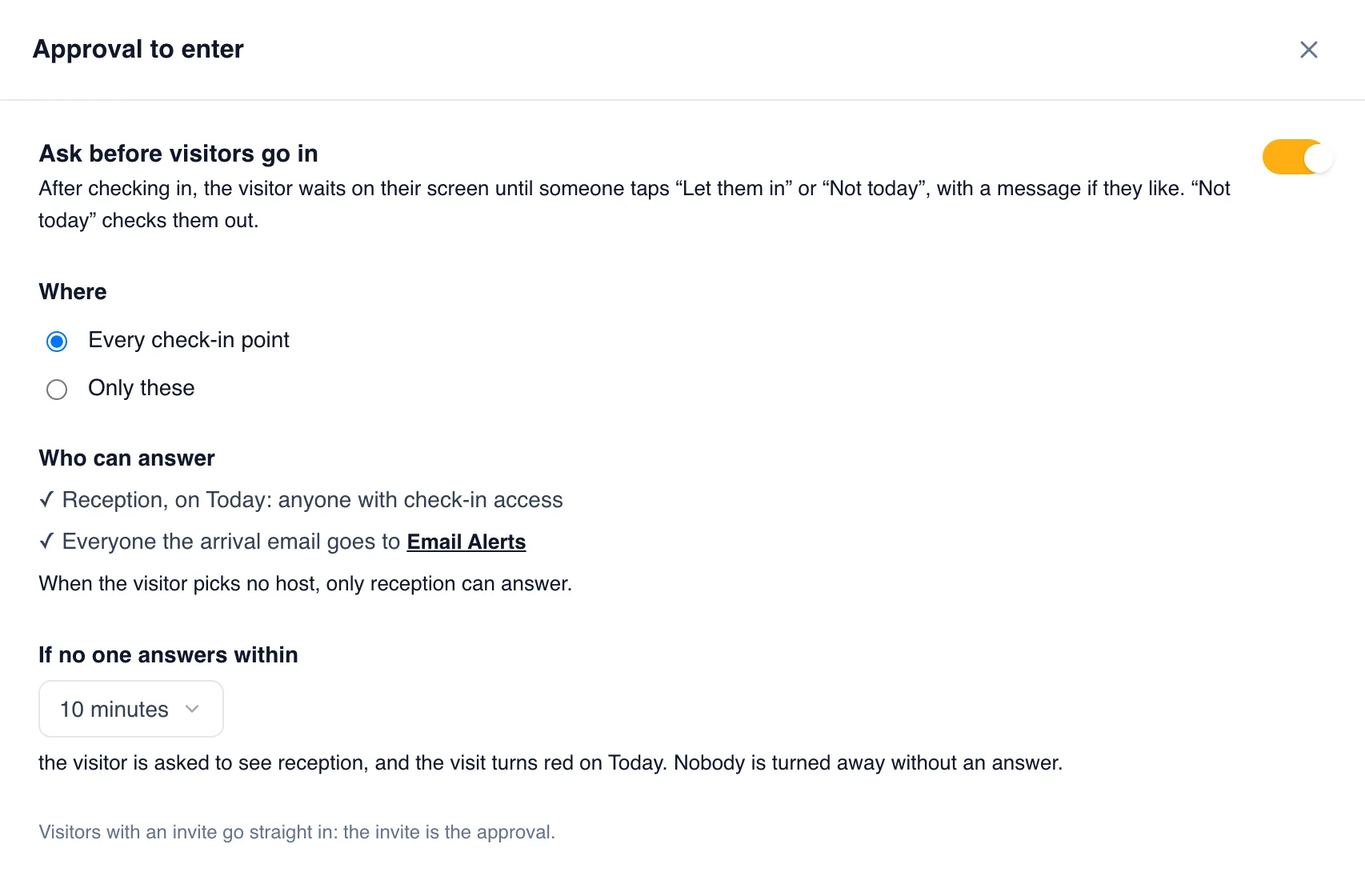
Set it up in two minutes
- Add “Who are you visiting?” to your form, with each host's email (see Hosts).
- In Check-in Setup, open Approval to enter and turn on “Ask before visitors go in”.
- Pick the check-in points and how long a visitor waits before being sent to reception. Save.
And the record remembers
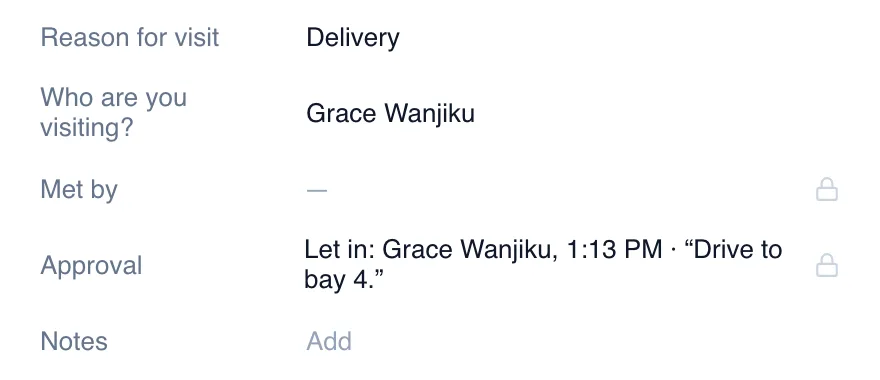
Visitor Records and exports show every answer: who let the visitor in or said not today, when, and the message.
Which plans include it
Included in every plan from Starter, and in the 14-day free trial.
Compare plansQuestions
- What if nobody answers?
- When the wait you chose is up (5, 10, 15 or 30 minutes), the visitor’s page asks them to see reception and they turn red on Today. Nobody is turned away without an answer.
- Do hosts need a GuestTrack account?
- No. They answer from the email. Only the people at the front desk sign in.
- What if two people answer?
- The first answer counts. Anyone who answers later sees what was already decided, and by whom.
- Do invited visitors have to wait?
- No. An invite is already a yes, so they go straight in.
- What if the visitor types an email address as their host?
- That address is told they’re here, but it can’t answer: otherwise a visitor could let themselves in. The front desk answers on Today.
- What about the Welcome Screen kiosk?
- The kiosk moves on to the next visitor within seconds, so a visitor who checks in there waits for reception, who answers on Today. On their own phone, they see the answer themselves.