Daily Report
Every visitor of the day, in one email.
At the end of each day, GuestTrack emails you everyone who came: when they checked in, when they left, and who is still on site. At the time you choose, to whoever you choose. Every name is in the email, so there's nothing to click.
Two minutes to set up. Nothing changes for your visitors.
How it works, in four steps
Two to set up once, then the report comes by itself.
You, once
Turn it on
In Check-in Setup, open Daily Report. Your own address is already there.
You, once
Choose who and when
Add up to 10 addresses, and pick the time: weekdays or every day, in your local time.
Your visitors
Check in and out
Exactly as they do now. Nothing changes for them.
Every evening
The report arrives
Everyone who came, when they left, and who is still on site.
Watch it set up, start to finish
A new project for an office, the Daily Report turned on, a day of visitors, and the report they made. Under two minutes.
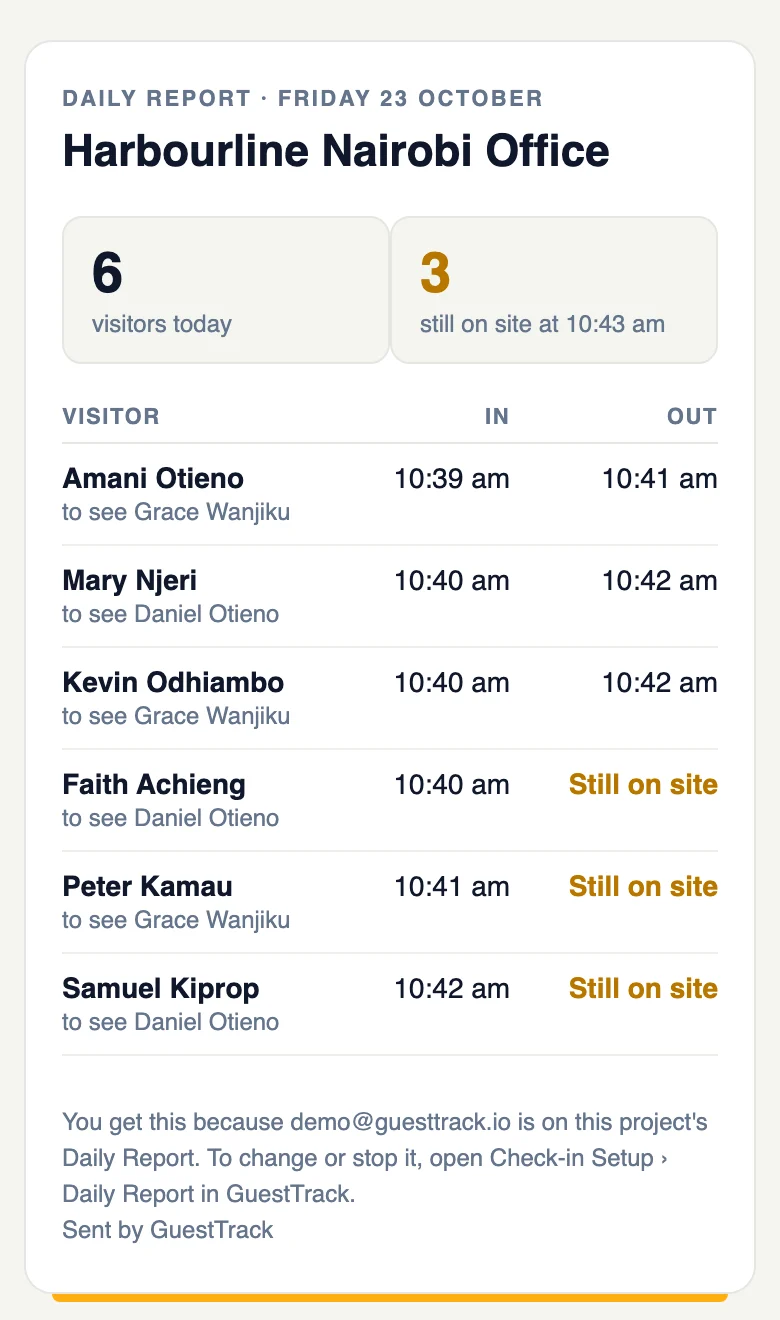
The email
Everyone, not a summary
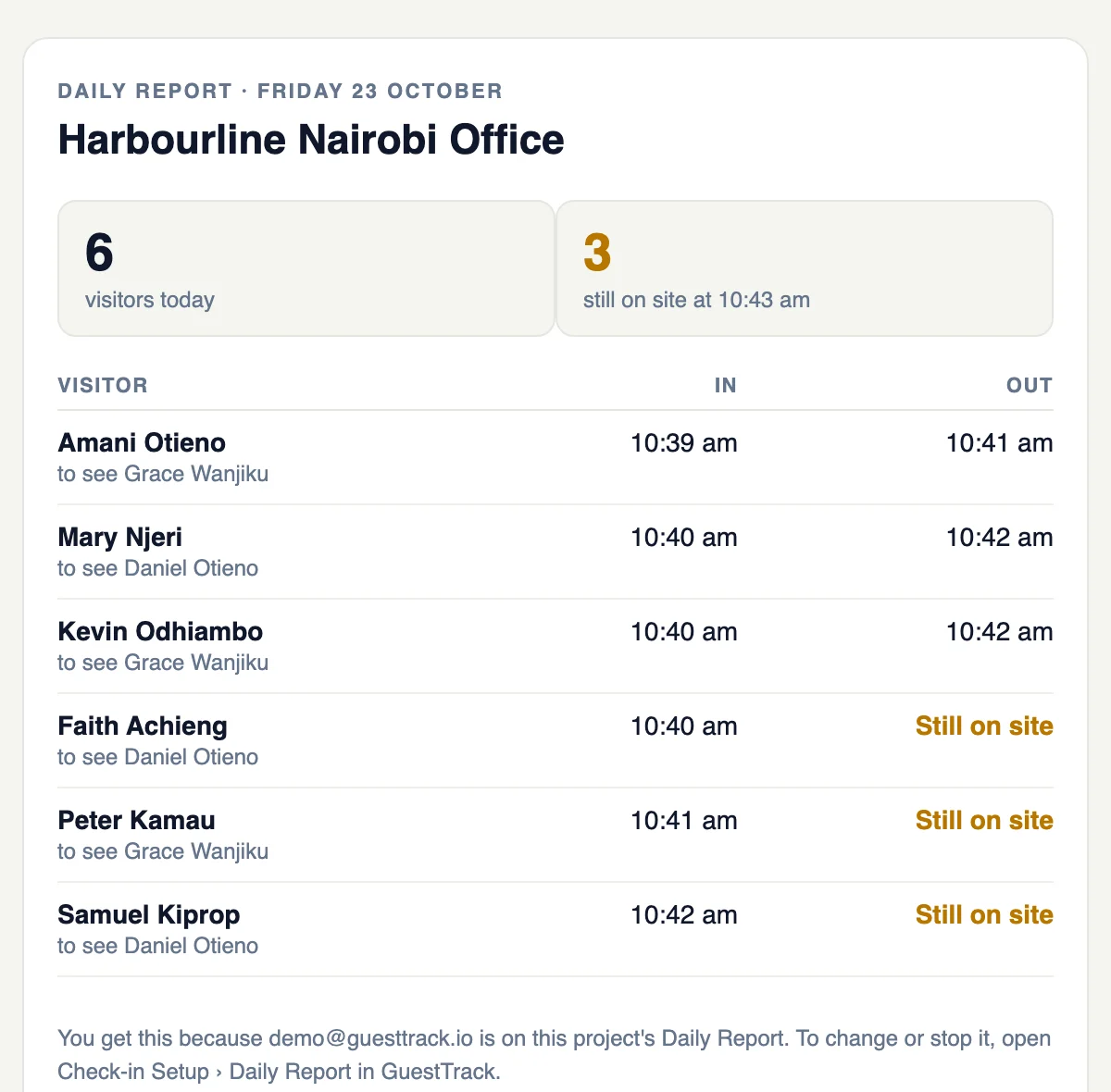
The report lists every visitor of the day, with when they came in and when they left. Anyone still on site is marked, so whoever locks up knows who to look for. It reads the same on a phone.
What's in it
The day at a glance, then every name.
How many came
The day’s total at the top, and how many are still on site at the time it was sent.
Every visitor
Each name, who they came to see, and when they checked in and out, by check-in point.
Who is still on site
Anyone who hasn’t checked out stands out, so you know before you lock up.
For whoever closes up
The day's visitors in your inbox, without signing in.
Offices
Reception goes home knowing who is still in the building, and head office sees each branch’s day.
Sites and depots
The site manager knows which contractors haven’t signed out before the gate is locked.
Schools
The office has the day’s visitors and contractors in one email, without opening a report.
Security and safety
Whoever closes up gets the list of people still on site, every evening.
Set it up in two minutes
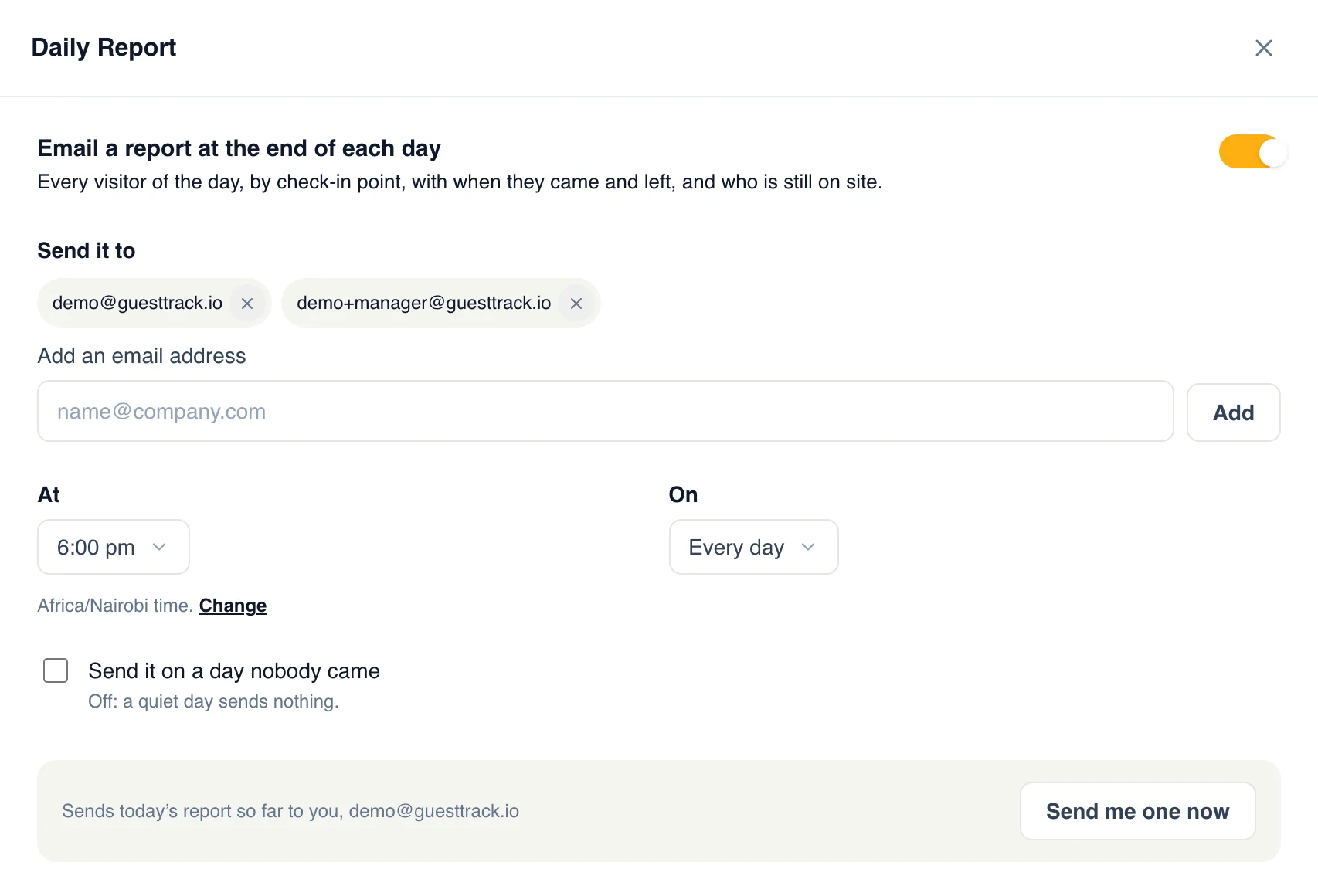
- In Check-in Setup, open Daily Report and turn it on.
- Add anyone else who should get it. Choose the time, and weekdays or every day.
- Save. Tap “Send me one now” to see today's report so far.
Want to know the moment someone arrives?
Email Alerts and SMS tell each host as their visitor checks in, and the Daily Report sums up the day.
See host alertsWhich plans include it
Included in every paid plan, from Starter, and in the 14-day free trial.
Compare plansQuestions
- Does it list everyone, or just a summary?
- Everyone. Every visitor of the day, by check-in point, with when they came in and when they left. You don’t have to click anything or sign in to see who came.
- When does it arrive?
- At the time you choose, on the hour or half hour, in your project’s local time: on weekdays, or every day.
- Who can get it?
- Up to 10 email addresses: you, a site manager, security, head office. They don’t need a GuestTrack account.
- Who counts as still on site?
- Anyone who checked in and hasn’t checked out by the time the report is sent. That needs check-out on; without it, the report lists who came and when.
- What about a day nobody came?
- Nothing is sent, so your inbox stays quiet. Tick “Send it on a day nobody came” if you’d rather get a report that says so.
- How is it different from Email Alerts?
- Email Alerts tells a host the moment their visitor arrives. The Daily Report is one email at the end of the day, with everyone. Use either, or both.
- How do I change or stop it?
- In Check-in Setup, open Daily Report: change who gets it and when, or turn it off. Every report says where to find it.