QR code check-in system print a code, everyone checks in on their phone

Put a QR code at the door. Visitors, staff, contractors and event guests scan it with their camera and check in. You see who is in now, and every check-in is on record.

  • From US$15 a month per site
  • 14-day free trial, no card
  • No app for people checking in
  • Unlimited QR codes, no extra cost

Used at more than 16,000 sites

Scan to check inQR code that opens a real GuestTrack demo check-inReception
Point your phone’s camera at the code to try a real check-in.

We are trusted by these businesses

Read what our customers say

TAB
Spotlight Group
Ray White
Peter Alexander
Box Hill Institute
genU

One QR code, everyone who comes in

Each of them gets the questions meant for them, and you see them all in one place.

  • Visitors

    They answer your questions on their phone, and their host is told at once.

  • Staff and contractors

    Check in and out with the Check In app, checked by GPS, even with no signal.

  • Event guests

    Invited ahead with a code in their phone’s wallet, scanned in at the door.

  • Members and regulars

    One tap to check in, or their member number. No form every time.

  • Couriers

    They log a parcel on the same code, and the person it is for is told.
Running in 10 minutes

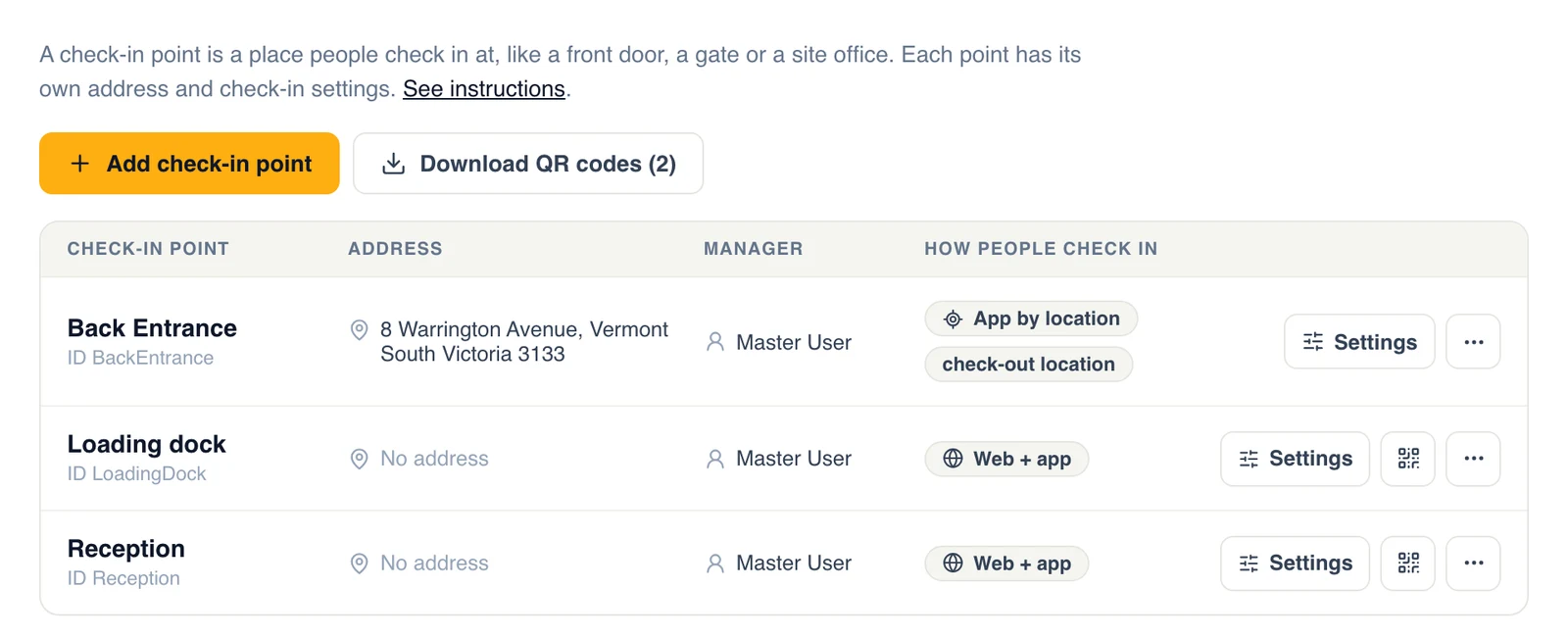
  1. Check-in points in GuestTrack: Reception and Loading Dock, each with its own QR code poster to download
    1

    Print a QR code for each door

    Add a check-in point for every entrance, gate or desk, and print its poster.
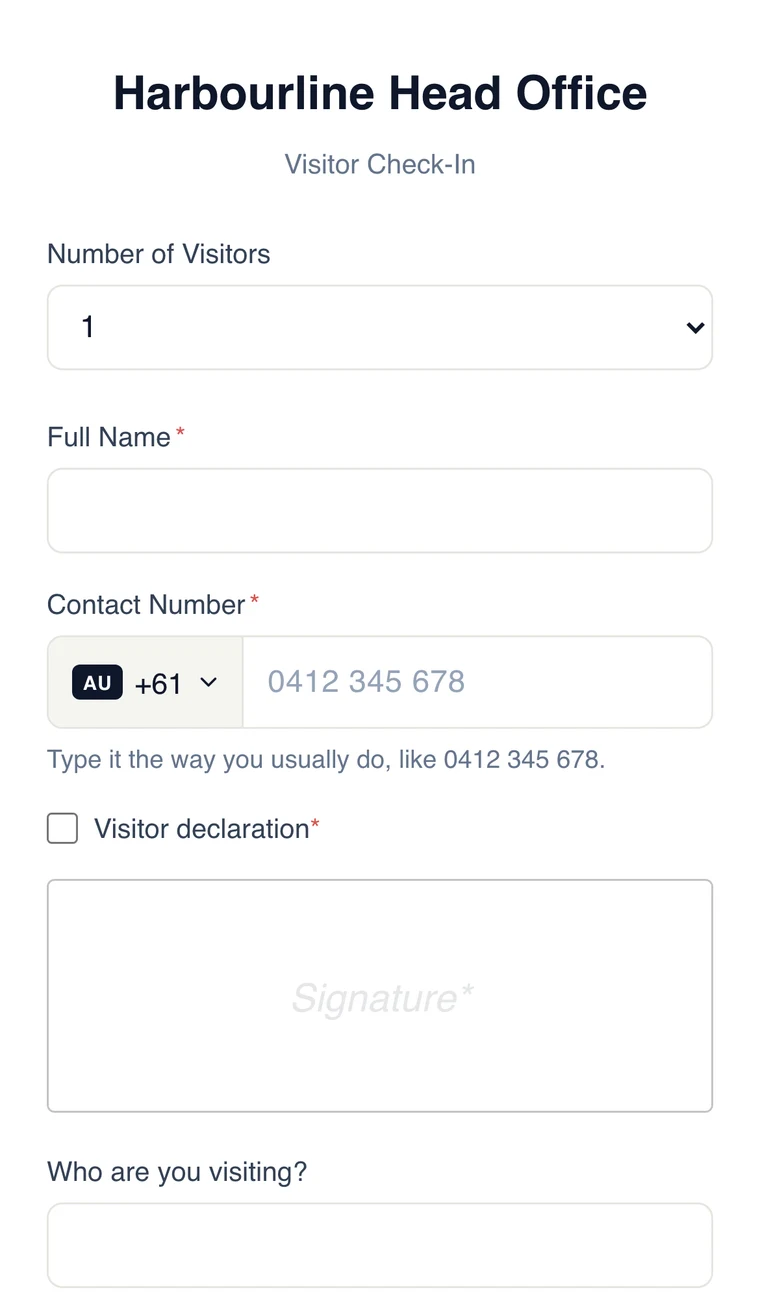
  2. The check-in form on a phone after scanning the QR code
    2

    People scan it with their camera

    The check-in form opens in their browser. Nothing to download.
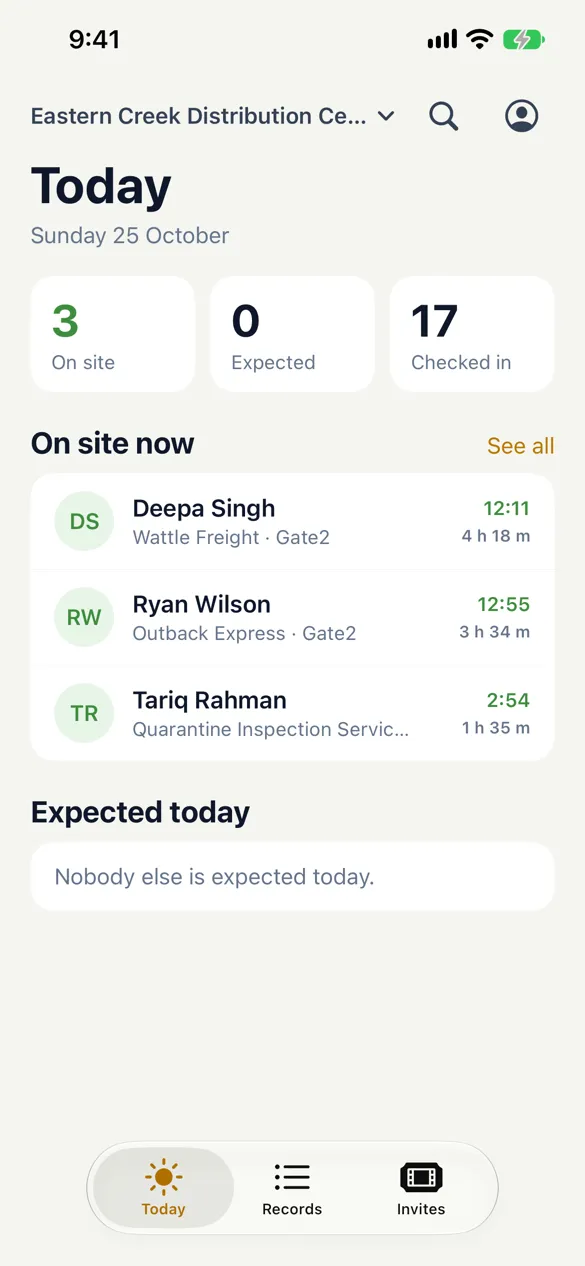
  3. The Today screen on a phone: 3 on site, 17 checked in, and who is on site now
    3

    See who is in, right now

    Today lists everyone on site. Every check-in is kept as a record.

Set it up your way

The things people ask about first, each with the page that explains it in full.

Make the code yours

  • Your colours for the code and its background
  • Square or dotted code
  • Your logo on the poster and on badges
  • Your project and organisation names on the poster

Check out, by code or by itself

  • A check-out QR code for the exit
  • Auto check-out a set time after check-in, at closing time each day, or once
  • Or from the link in their email
  • Staff check anyone out from Today

A tablet for people without a phone

  • Any iPad or Android tablet becomes a Welcome Screen
  • Check in, check out or leave a parcel with a tap
  • A badge prints as they check in

As many codes as you have doors

  • Every entrance, gate, dock and desk its own code
  • You see where each person came in
  • Unlimited check-in points on every plan, at no extra cost
  • Several sites in one organisation

A QR code and an online form, or a check-in system

A QR code that opens a form takes names. A check-in system knows who is still there.

What you needQR code and a formGuestTrack
Who is on site right nowNoYes
Check out, by code or automaticallyNoYes
Their host told when they arriveNoYes
Signatures, photo ID and badgesNoYes
Staff check-in checked by GPSNoYes
Records to search and exportA spreadsheetYes

Questions people ask first

Do people need an app to check in?
No. They point their phone’s camera at the QR code and the check-in form opens in the browser. Only your own staff can use the Check In app, if you want their check-ins checked by GPS.
How do people check out?
They scan a check-out QR code, use the link in their email, or tap Check out on a Welcome Screen. You can also check everyone out automatically, for example at closing time, and staff can check anyone out from Today.
How many QR codes can we have?
As many as you need. Every plan includes unlimited check-in points, so each door, gate or desk can have its own code at no extra cost. See plans and prices
Can staff clock in and out with it?
Yes. Staff and contractors can scan the same code, or use the Check In app, which checks they are really on site and works without signal. See app check-in
Can we change how the QR code looks?
Yes. Choose the colours and a square or dotted style, and print your logo and your project’s name on the poster.
Where is the data kept?
In the AWS Sydney Region, encrypted in transit and at rest. Team roles control who sees the records, and you choose how long details are kept. Read about data protection

Your QR code check-in, set up today

14-day free trial. No card, no hardware.