Range sign-in for archery clubs
Members, visiting archers and come and try sign in at the range with their phone. The committee sees who shot, where and when, and who is still out on the course.
Know who is shooting, and where
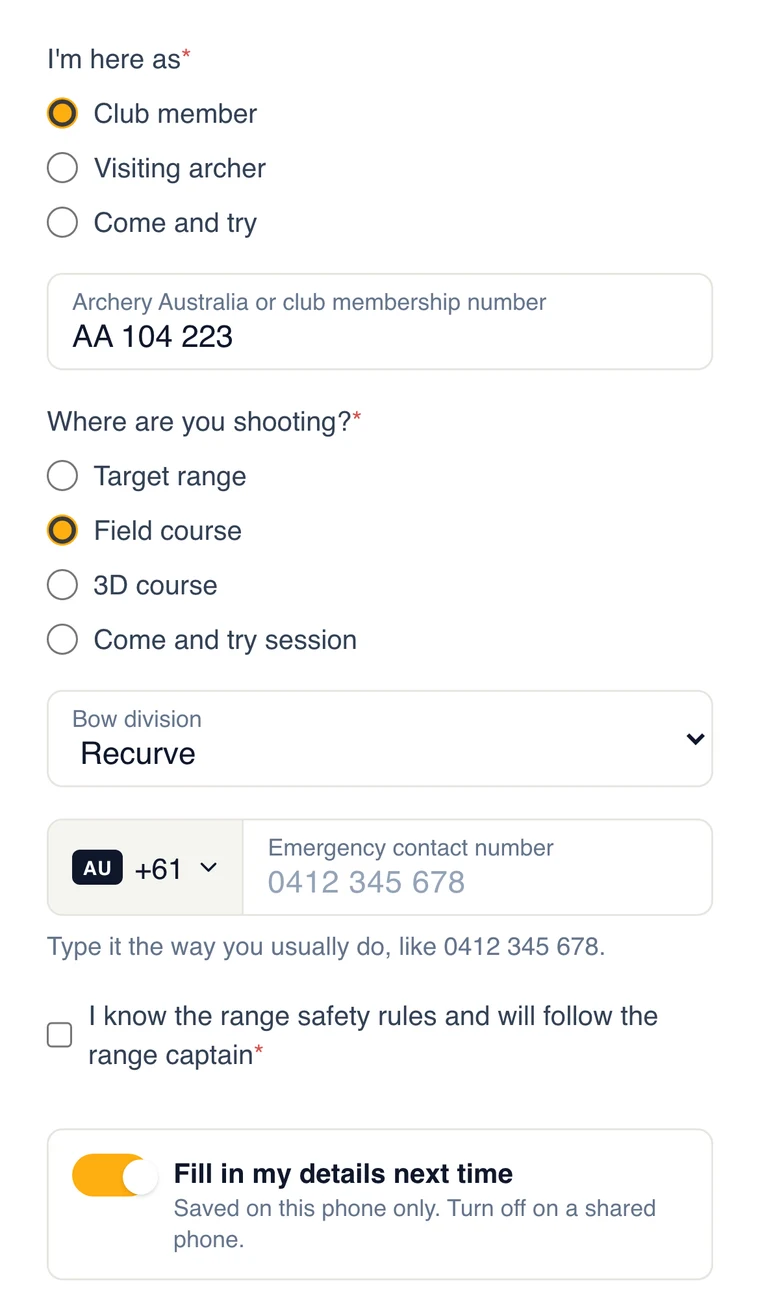
Put a QR code at the clubhouse door or the range gate. Archers scan it with their phone camera and answer your questions: member, visiting archer or come and try, their membership number, and whether they are on the target range, the field course or the 3D course. No app to install, and nothing for the range captain to write down.
- Archery Australia or club membership number
- Target range, field or 3D course
- Bow division, or any other question your club needs
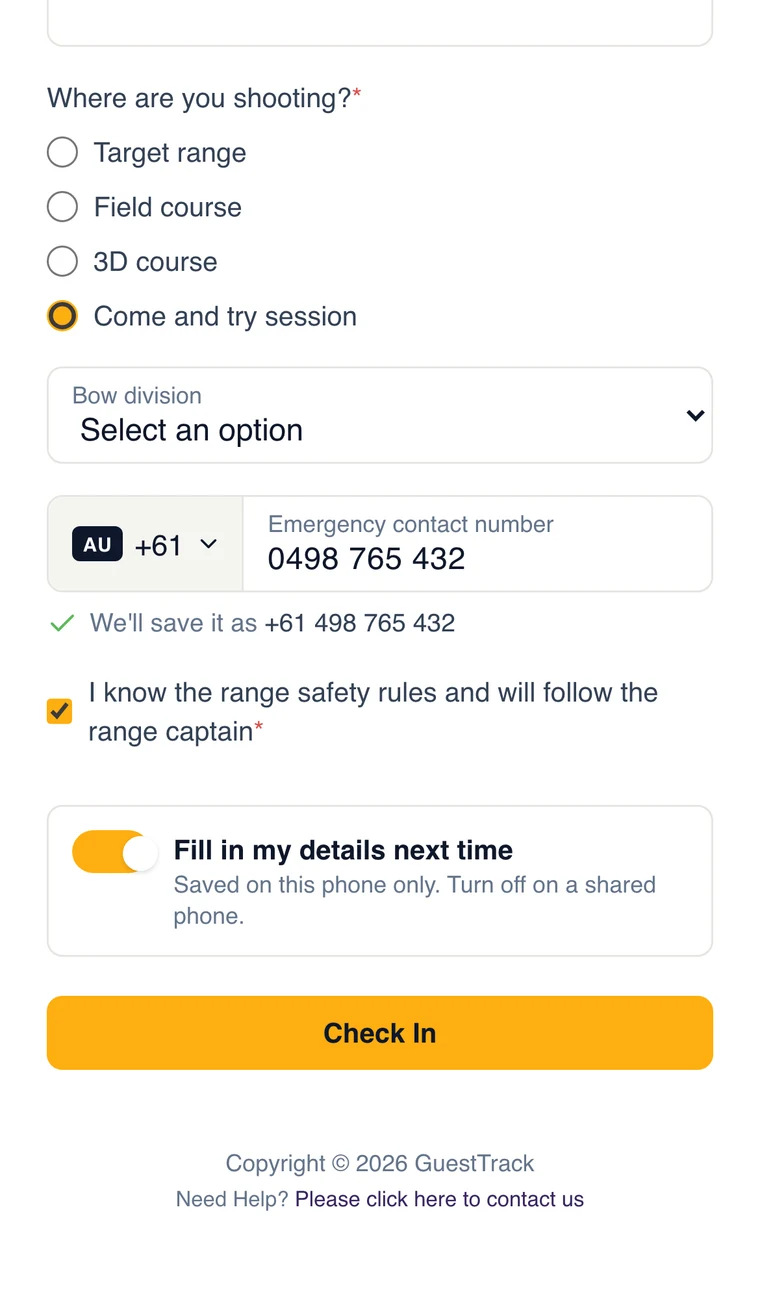
New archers give an emergency contact and accept the range rules
Come and try days bring people who have never been to the club. They sign in on the same form, give an emergency contact and tick that they know the range safety rules. Archery Australia's insurance asks clubs to register everyone who shoots, come and try archers as temporary members: a dated sign-in for each one gives the secretary every name to register, and shows how often each newcomer has come back.
- A declaration or waiver worded the way your club needs
- A signature if you want one
- Their details are filled in for them next time
Sign out when they leave, so you know who is still on the course
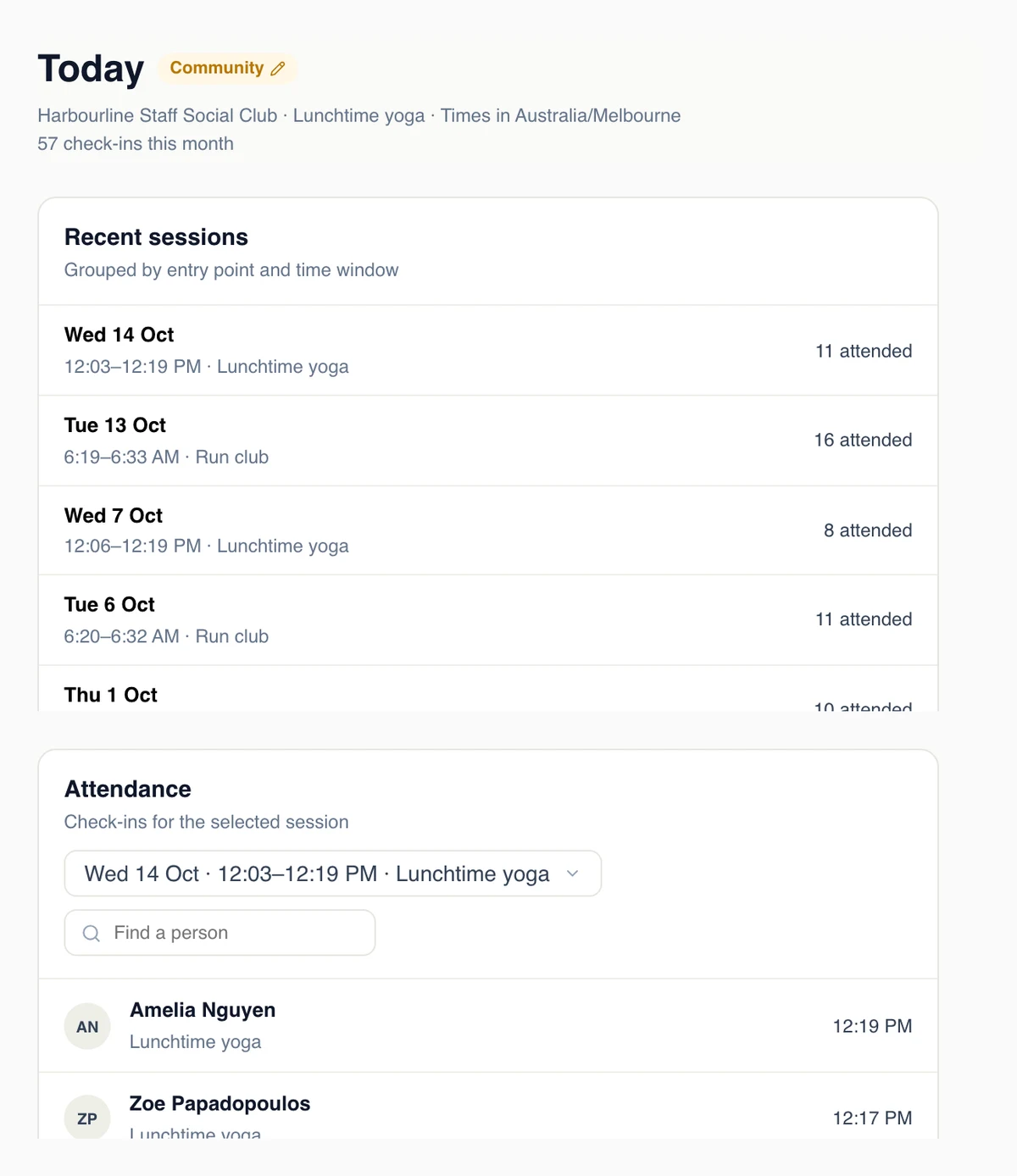
Archers tap Check Out on their phone when they leave, or scan a check-out QR code at the gate. Today shows who is still signed in, so the last person to leave knows whether anyone is still out on the field course before locking up. It also groups sign-ins into sessions, so you see how many came on Saturday morning and how that compares with last week.
- Who is on site now, and since when
- Attendance for each session
- Sign someone out from the dashboard if they forgot
Made for a club run by volunteers
Members sign in in seconds
Their details are saved on their phone. On Growth, they can scan a member QR badge instead.
A tablet at the clubhouse
The Welcome Screen turns any tablet into a sign-in kiosk for archers without a phone.
One project, every range
A QR code for the target range, the field course and the clubhouse, all on one form.
A daily report
The day’s sign-ins emailed to the secretary or the range captain at a time you choose.
Records when you need them
Export attendance for the committee, a grant application or your insurer.
Kept private
Members’ details are encrypted, and only the people your club gives access can see them.
Set up your range in ten minutes
Start a 14-day free trial, add your questions and print the QR code. Registered non-profit clubs can apply for a discount.