Event check-in: guests register, you scan them in, you know who came
Send a registration link or import your guest list. Each guest gets a code in Apple Wallet or Google Wallet. On the day your team scans it with the GuestTrack app, walk-ups check in on the same form, badges print, and afterwards you know exactly who came. Made for organisers who run events again and again.
One event, start to finish
- 3 weeks beforeInvitations go outImport your guest list. Each guest gets a code by email and in their phone’s wallet.
- 1 week beforePeople registerFrom a link or your website. Today counts them and keeps a checklist for the entrance.
- 8:30 amDoors openYour team scans codes with the GuestTrack app. Green means let them in.
- 8:42 amA code used twiceThe app says “Already checked in”, with when.
- 9:15 amA walk-upThey scan the poster and fill in the form. Their badge prints.
- 5:00 pmWho cameWho came, who didn’t, and their answers, ready to export.
Guests register, or you invite them
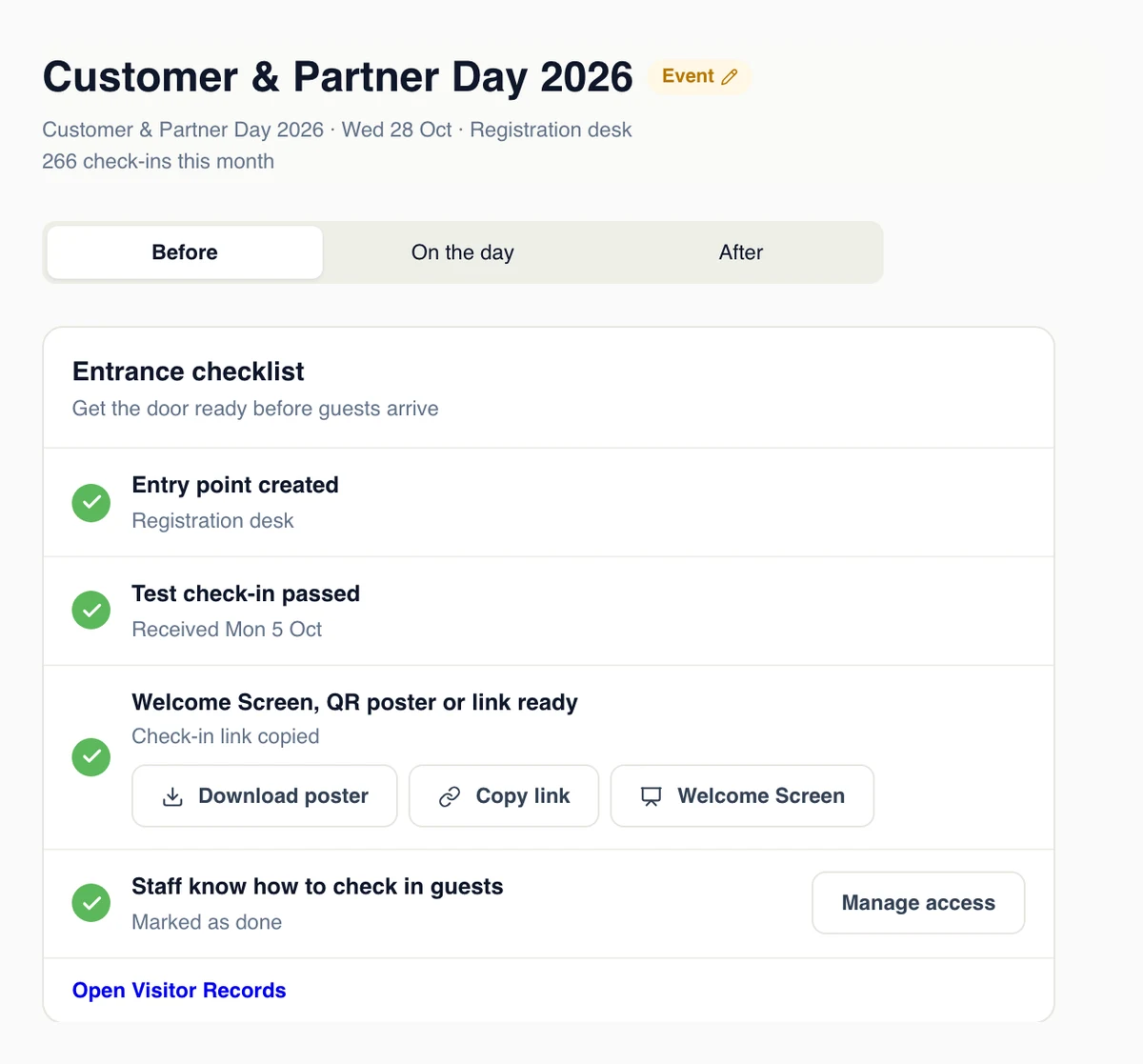
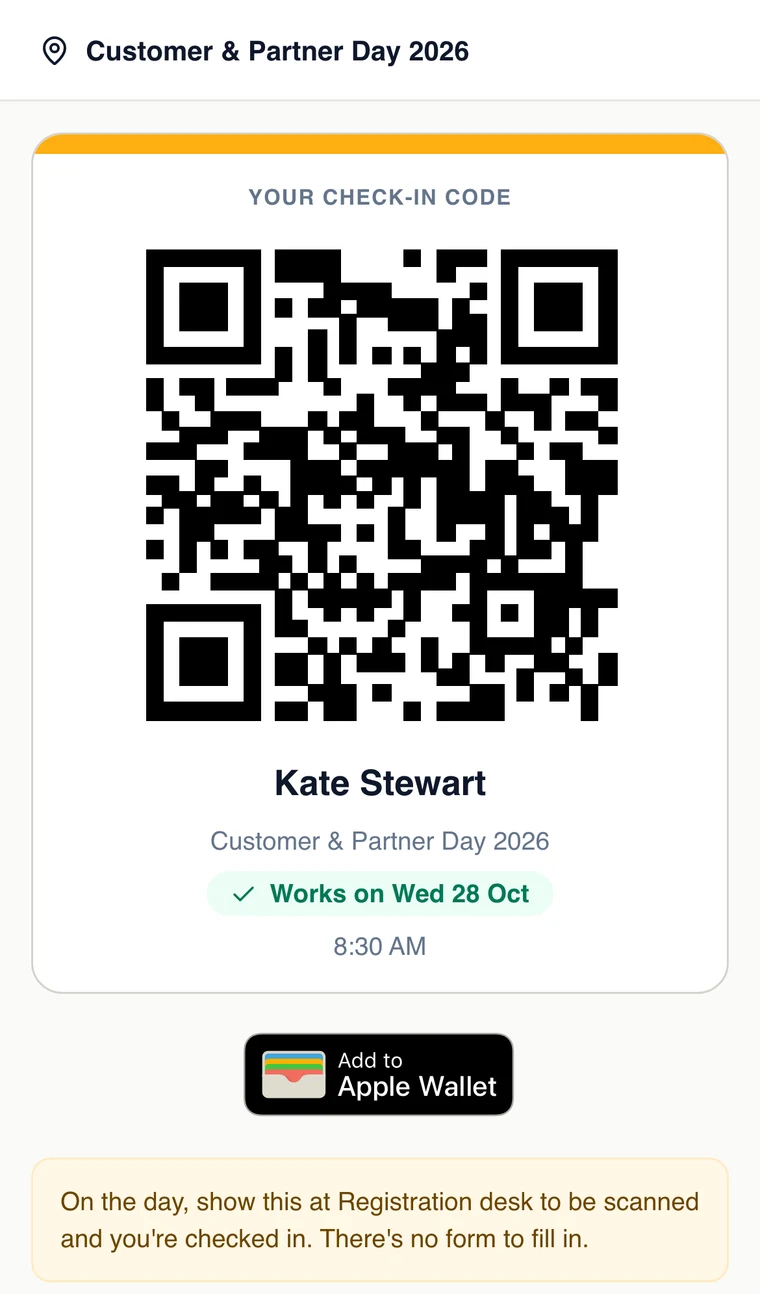
Send a registration link, put the form on your own website, or import your guest list from a spreadsheet. Each guest gets a check-in code by email that they can add to Apple Wallet or Google Wallet. Before the day, Today shows who has registered and a checklist for the entrance.
- A link or QR code on a flyer, an email or a social post
- The registration form inside a page of your own website
- Import a spreadsheet, or create invites through the API
- Ask Claude, ChatGPT or Copilot to invite your guest list, through the GuestTrack connector
Scan guests in at the door
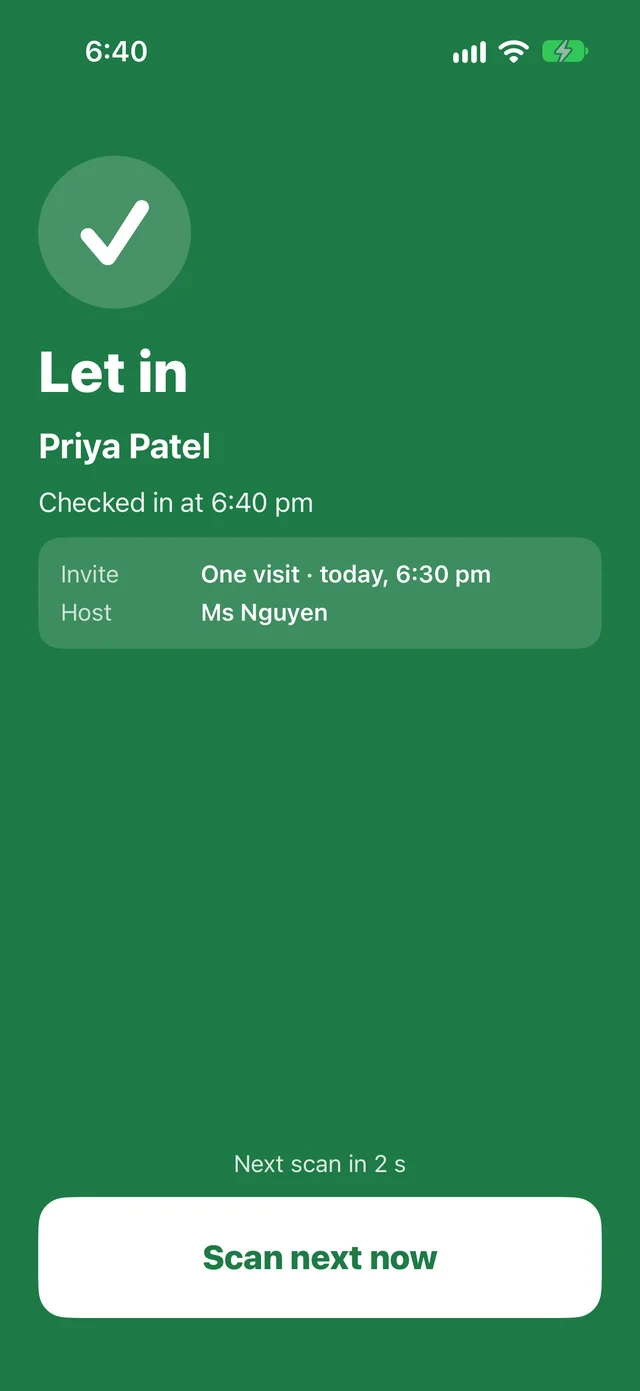
Your team opens the scanner in the GuestTrack app on their own phones, iPads or Android tablets, and scans each guest’s code. The screen says in one colour whether to let them in. A code that was already used says so, with the time, and a code for another day or another event is turned away.
- Several people scan at once, at every entrance
- Today shows who has arrived and who hasn’t
- A Welcome Screen at the door scans passes too
Walk-ups check in on the same form, and a badge prints
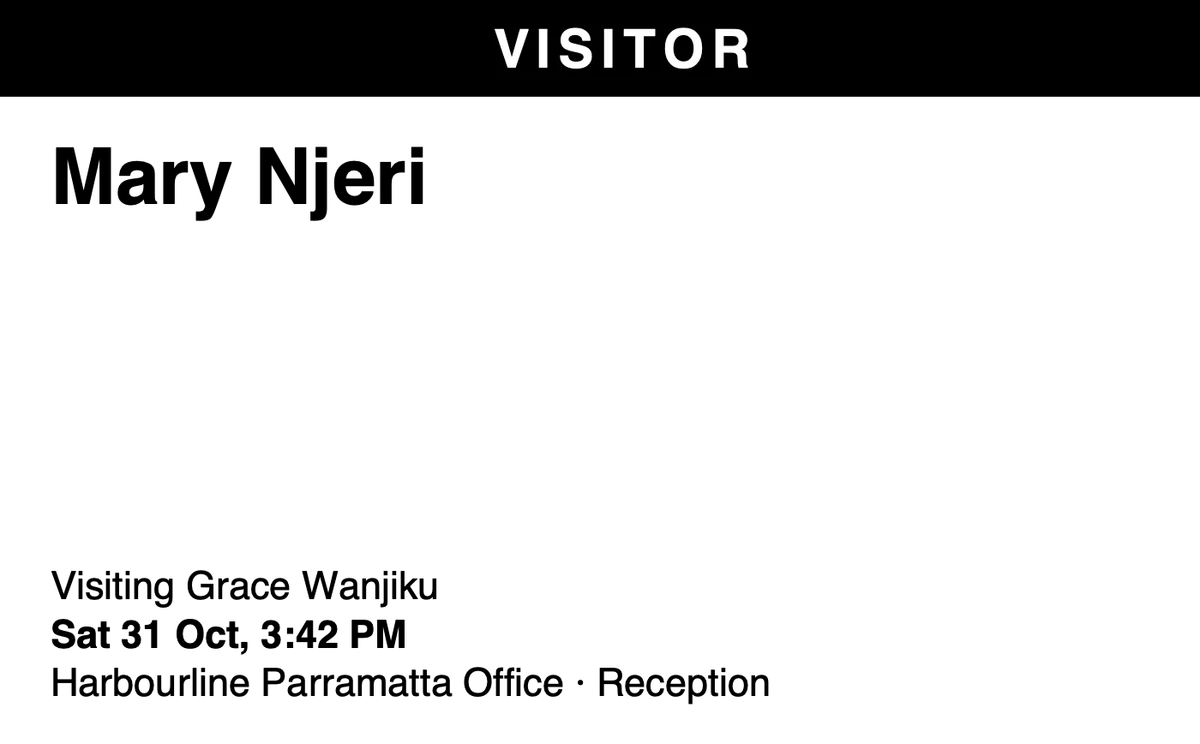
People who didn’t register scan the QR code poster at the door and answer the same questions. A name badge prints as each guest checks in, on a label printer or on A4, with your logo on it.
- The same questions for walk-ups and registered guests
- Badges print from the app on an iPad or tablet at the door, or from any browser
- A QR code for every entrance, at no extra cost
The right person knows when a VIP arrives
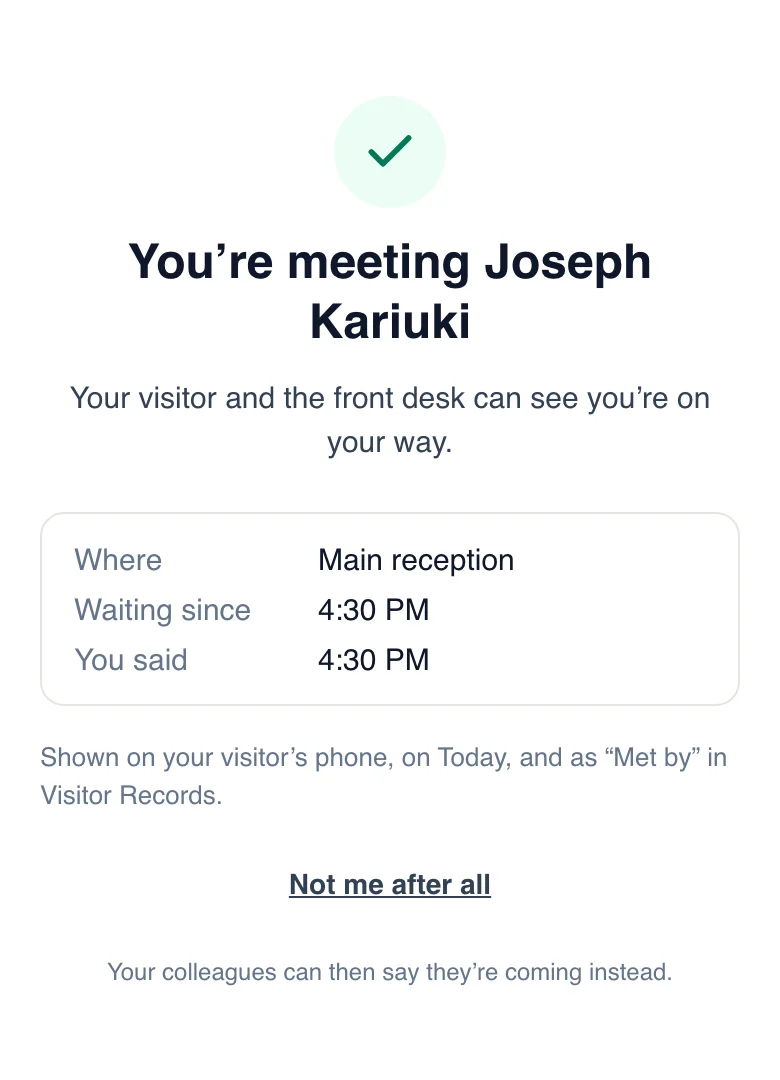
Give a speaker, sponsor or VIP a host. When they check in, their host gets an email, a phone notification or a message in Slack or Microsoft Teams, and can tap to say they are coming to meet them.
Who came, and who didn’t
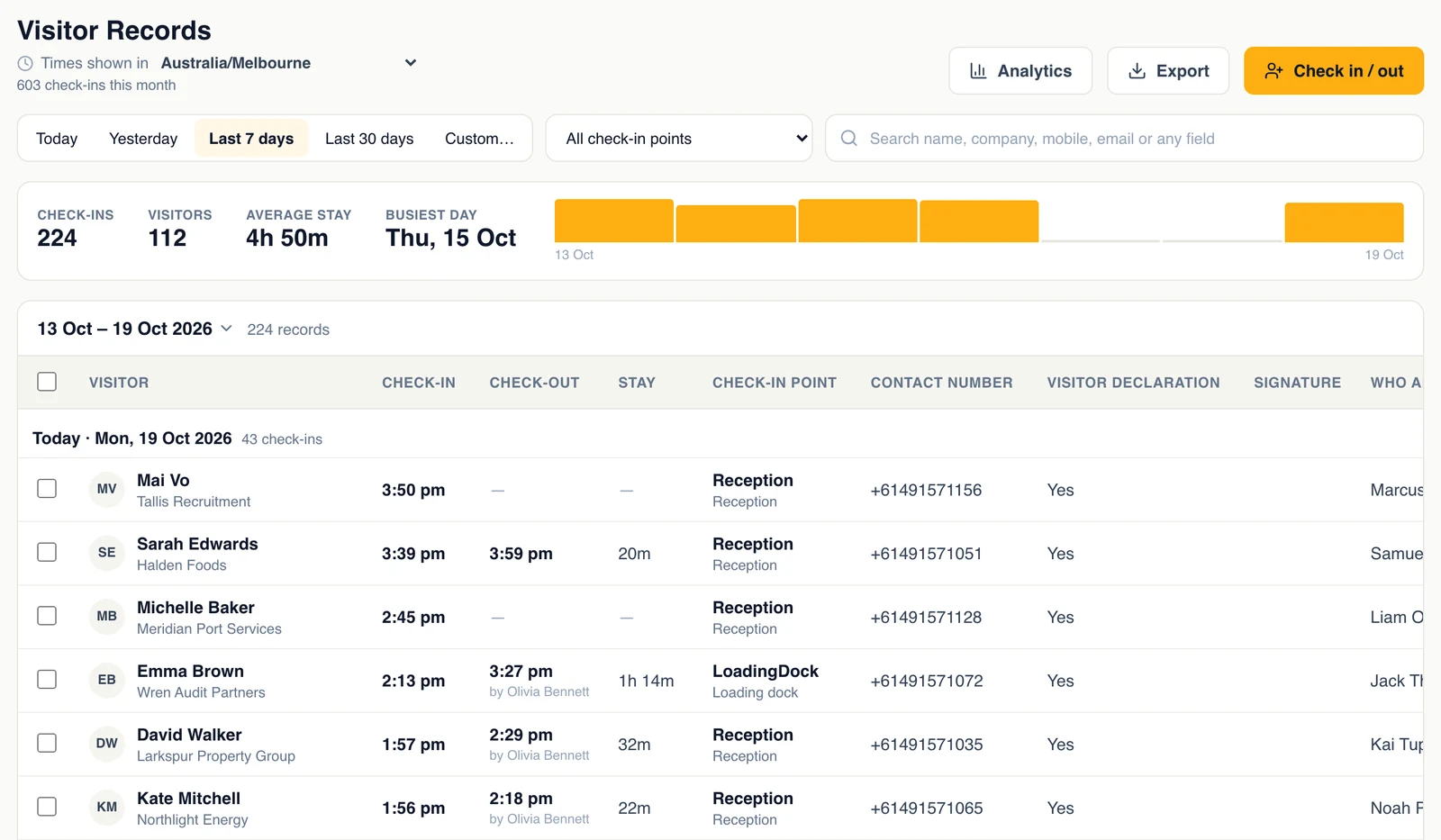
After the event, the records show everyone who checked in, when, and their answers. Export them for your CRM or your sponsors, or ask an AI assistant how many came from each company.
- Search, filter and export every check-in
- Ask Claude, ChatGPT or Copilot about your guests
- Send every check-in to your own systems with webhooks
Questions event organisers ask
- Do guests need to download an app?
- No. Their code comes by email and they can add it to Apple Wallet or Google Wallet. Walk-ups use their phone’s camera. Only your team uses the GuestTrack app, to scan.
- Does GuestTrack sell tickets?
- No. If you sell tickets elsewhere, import the guest list from a spreadsheet or create invites through the API, and use GuestTrack for registration, the door and the records.
- What about people who didn’t register?
- They scan the QR code poster at the door and answer the same questions, so everyone ends up in one list.
- How many people can scan at the door?
- As many as you need. Give each of them check-in staff access, and they scan with the GuestTrack app on their own phones or tablets at the same time.
- We run events every month. How does that work?
- Each event, or each venue, is a project in one organisation, with its own form, check-in points and team. Everything is under one login and one bill. See plans and prices
- Where are guests’ details kept?
- In the AWS Sydney Region, encrypted in transit and at rest. Only the team members you give access to see them, and you choose how long they are kept.
Made for the door of your event
Passes in their wallet
Apple Wallet and Google Wallet, or the code in their email.
No app for guests
They scan with their camera; your team scans with the GuestTrack app.
Every entrance
A QR code for each door, desk and entrance, at no extra cost.
Roles for your team
Door staff check people in; only the people you choose see records.
Event after event
Each event its own project, all in one organisation.
Kept private
Guests’ details are encrypted, and kept as long as you choose.
Set up your next event today
Start a 14-day free trial, no card. Import your guest list, print the QR code for the door, and scan your first guest in.