SMS
Text the host the moment their visitor arrives.
A visitor checks in, and the person they came to see gets a text: who is here, and where. One tap on the link says “I'll come and meet them”, and the visitor's own phone shows it. Texts go out through your own SMS account, under your own name.
No app for visitors or hosts. Your provider, your price: GuestTrack adds nothing per text.
How it works, in four steps
Two to set up once, then every arrival texts the right person by itself.
You, once
Connect your SMS account
Twilio, Africa’s Talking or any gateway. GuestTrack checks the key with your provider and keeps it encrypted.
You, once
Give hosts a mobile
Next to each host’s email in your host list. A host without one still gets the email.
The visitor
Checks in
They scan the QR code, fill in your form and pick who they’re here to see.
The host
Gets a text
Who is here, and where, with a link: one tap says “I’ll come and meet them”, and the visitor sees it.
Watch it set up, start to finish
A new project for an office, its hosts and an SMS account. Then a visitor checks in, and his host is on her way after one tap. Three minutes.
From the front door to “I’m coming”
Samuel visits an office. These are the real screens he and Grace see.
- 1
Samuel checks in at reception
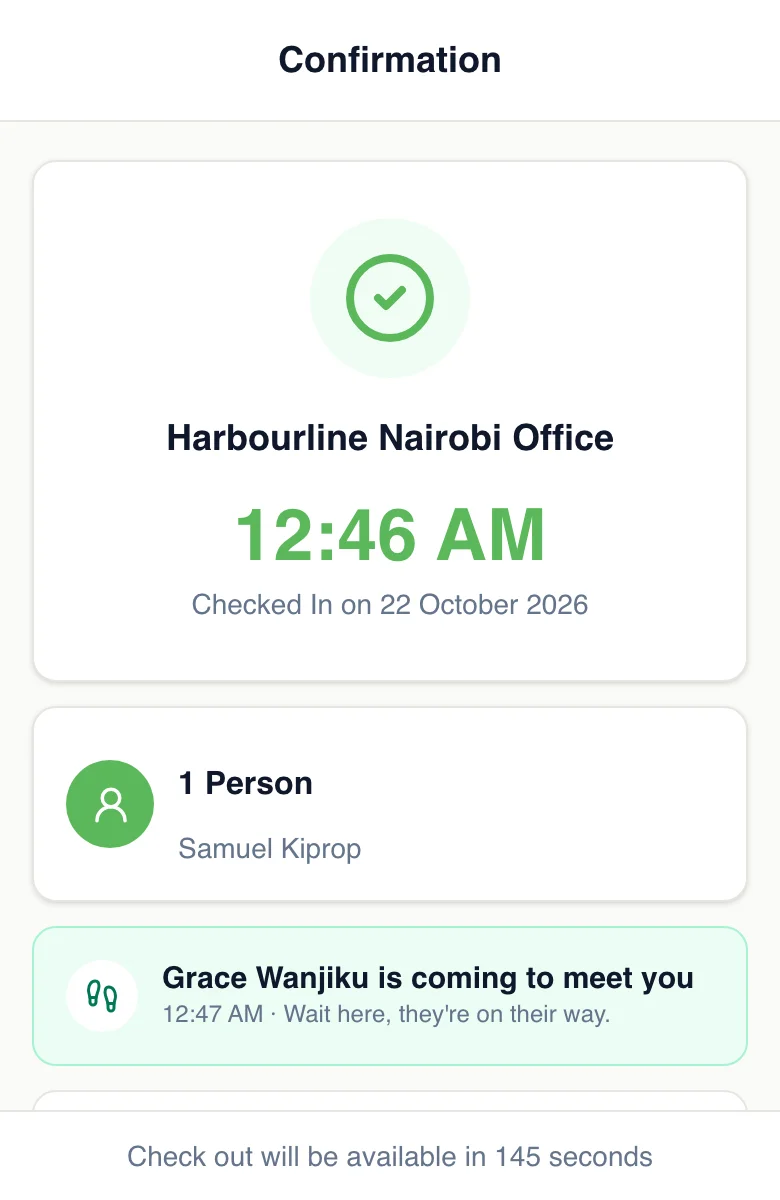
He scans the QR code, enters his name and number, and picks Grace. His page says Grace has been told, and to keep it open.
- 2
Grace’s phone buzzes
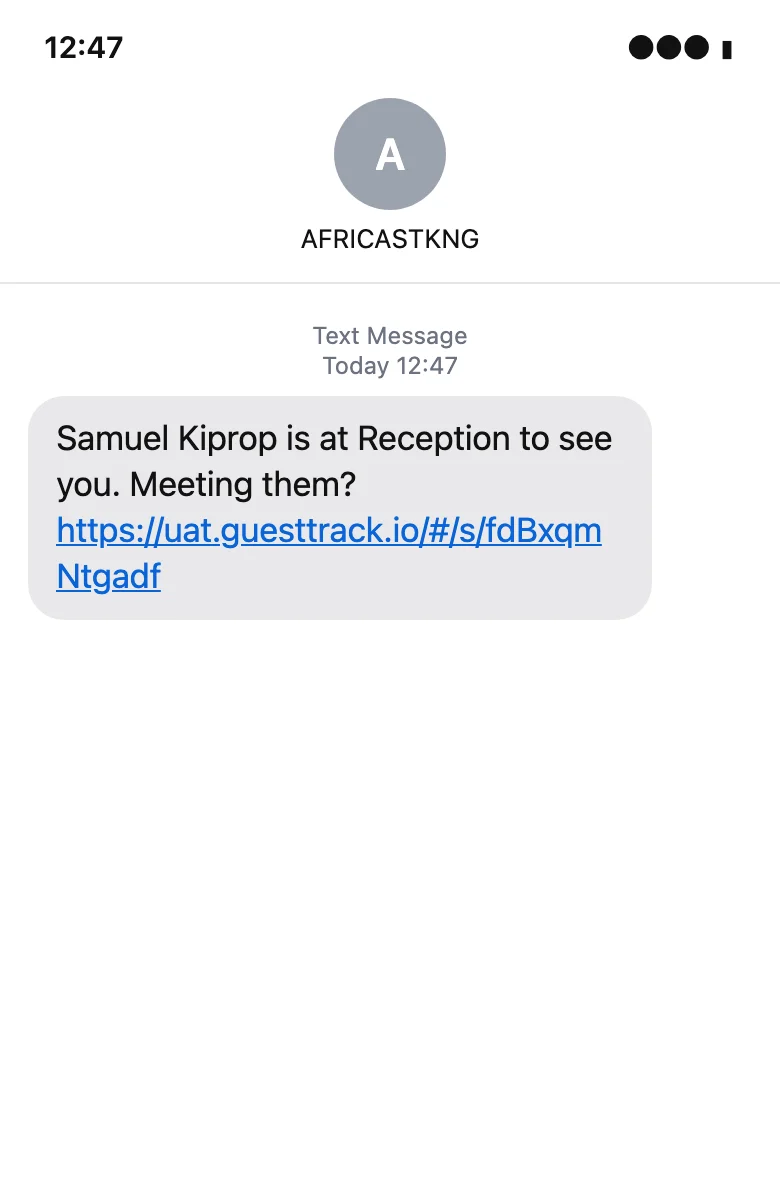
Seconds later: who is here, at which entrance, and a short link. She doesn’t need to be at her desk, or read her email.
- 3
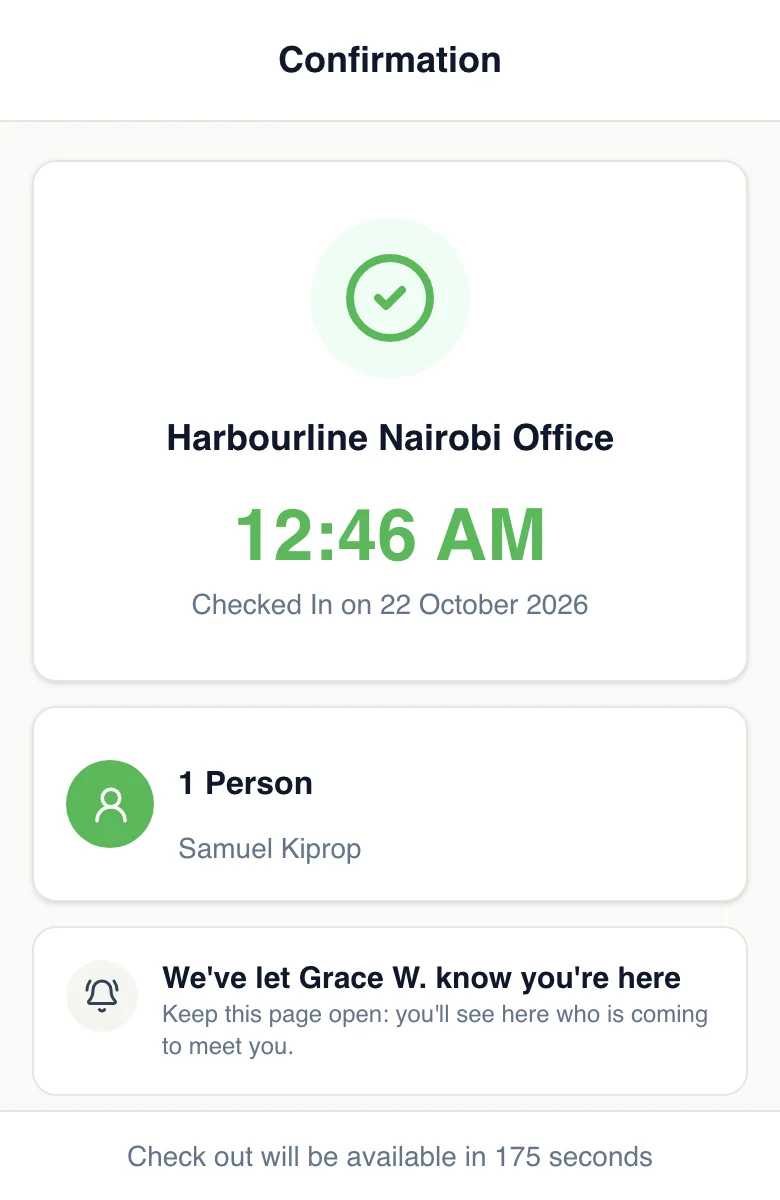
One tap: I’ll come and meet them
The link opens a page with one button. No app, no sign-in. If she can’t go, she leaves it, and a colleague or the front desk can say they’re coming.
- 4
Samuel knows she’s on her way
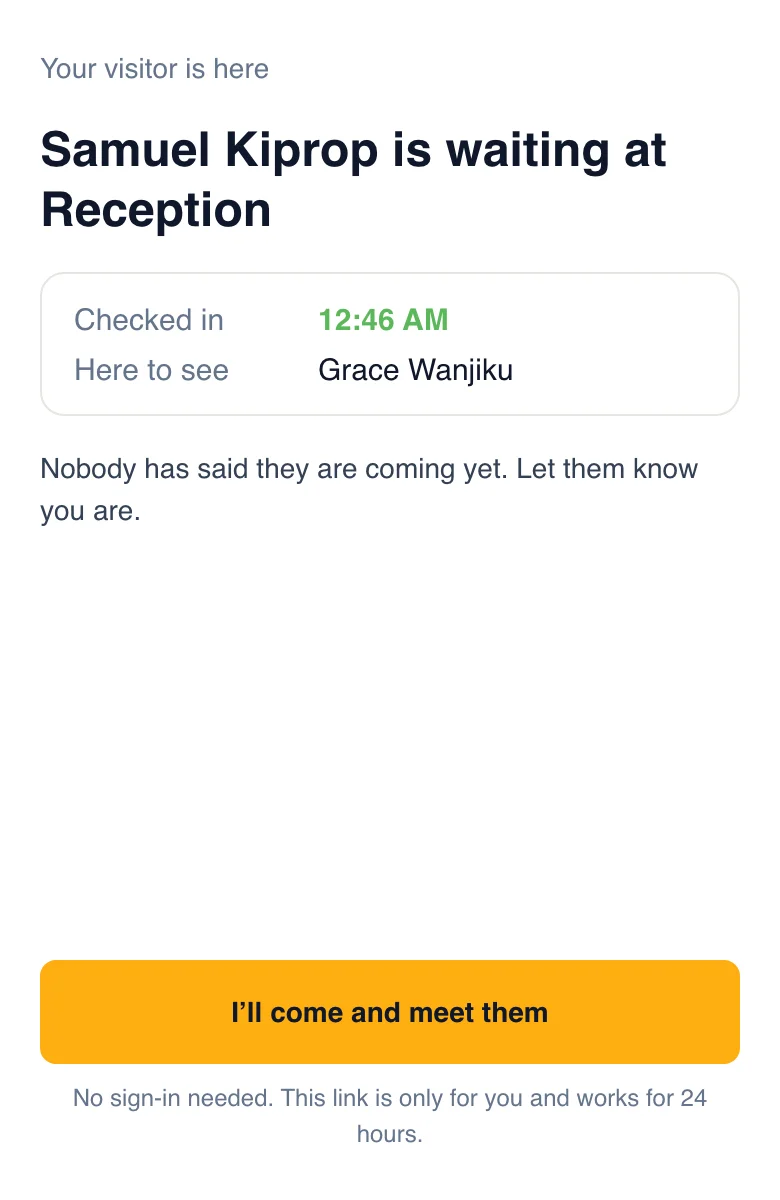
His page changes by itself: “Grace Wanjiku is coming to meet you”. Visitor Records shows who met him, and when.
Who gets a text
Whoever is told by email today, when you've given them a mobile, and anyone you add.
The host
The person the visitor picked, when your host list has their mobile.
A company’s people
In a shared building, everyone of the company the visitor came to see who has a mobile.
Reception or security
Up to 10 numbers that get a text for every visitor, wherever they’re going.
Your account, your name
Texts come from your own SMS provider
You connect the account you already have, or open one in minutes. Texts carry your number or approved sender ID, and your provider bills you at your own rates. GuestTrack checks the key with your provider when you connect, keeps it encrypted, and never shows it again.
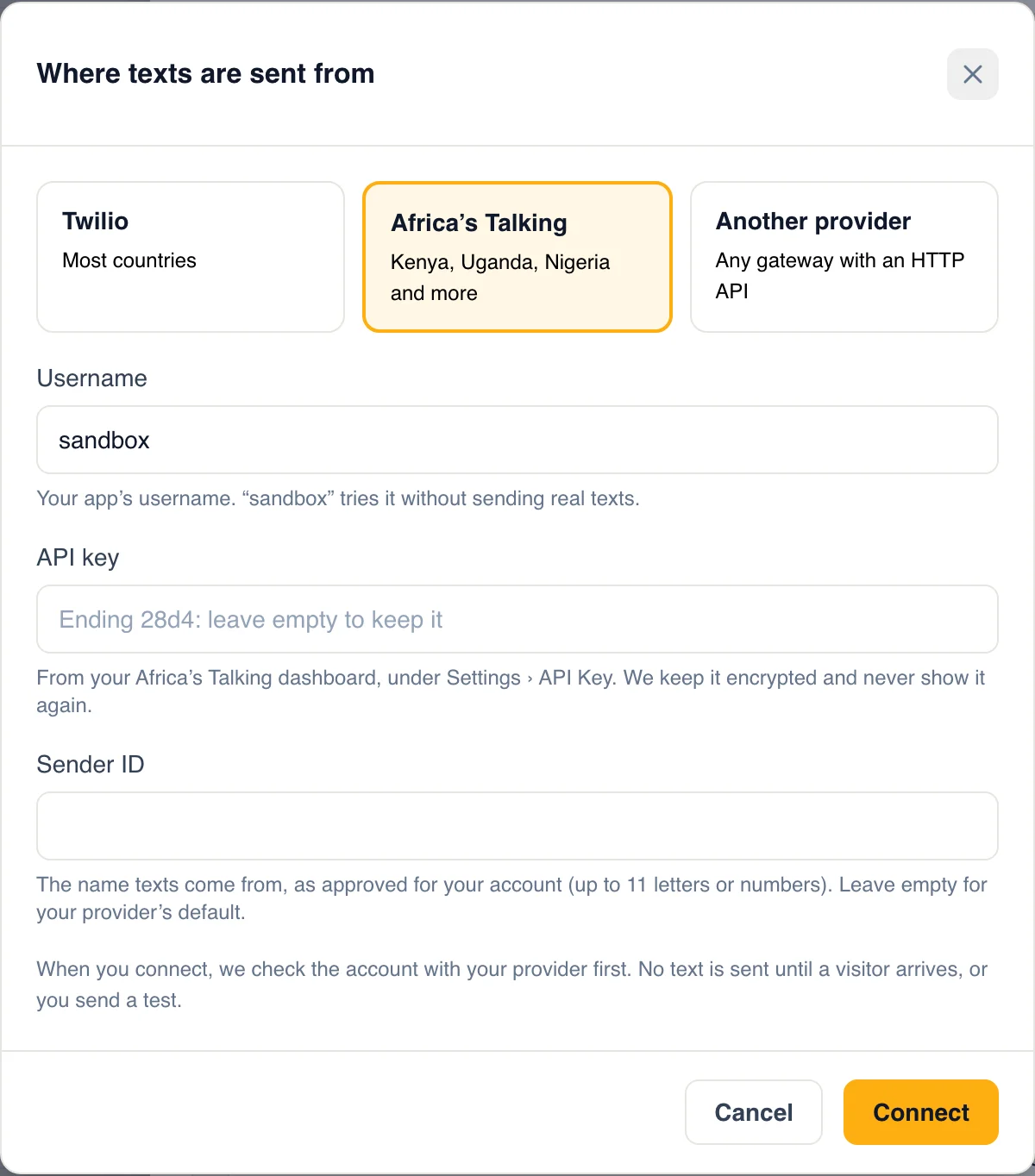
Three ways to connect
Pick the provider you already use, or any SMS gateway with an HTTP API.
Twilio
Most countries. Your Account SID and Auth Token, and the number or sender ID texts come from.
Africa’s Talking
Kenya, Uganda, Nigeria and more. Your username, API key and approved sender ID.
Another provider
Any gateway with an HTTP API: GuestTrack posts each text to your URL, signed with your secret.
For hosts who aren't at their desk
A text is read in seconds, on the floor, in the yard or in a meeting.
Offices
Hosts in meetings or on another floor know at a glance that their visitor is downstairs.
Schools
The office, a teacher or the gate guard is texted the moment a parent or contractor arrives.
Depots and sites
The supervisor out in the yard gets the driver’s name before the driver reaches the office.
Security desks
Every arrival, texted to the guard on duty, with who the visitor came to see.
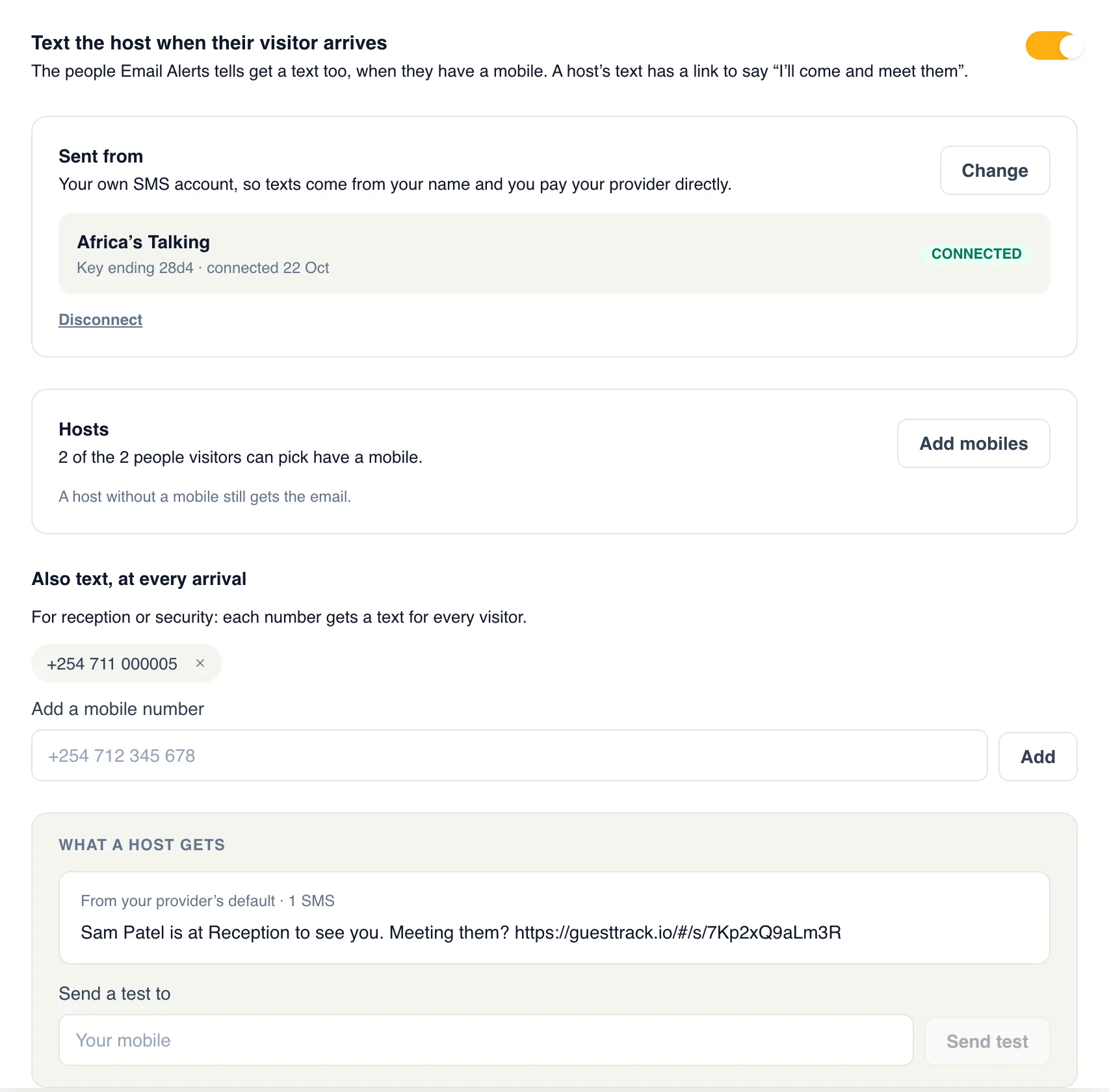
Set it up in five minutes
- Add “Who are you visiting?” to your form, with each host (see Hosts).
- In Check-in Setup, open SMS and connect your provider. Send yourself a test.
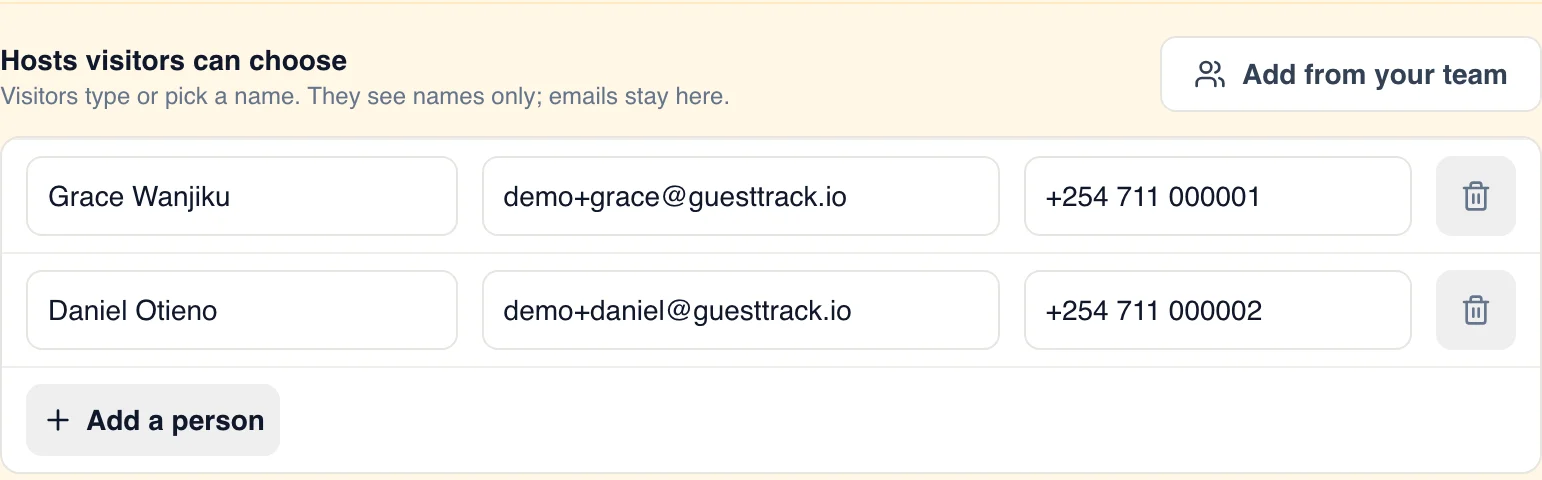
- Tap Add mobiles and give each host a mobile number. Save.
Mobiles live in your host list
Next to each host's email. Change them any time; a host without a mobile is still emailed.
Need visitors to wait for a yes?
With Approval to enter, the text asks the host to answer, and the visitor waits at the door until someone lets them in.
See Approval to enterQuestions
- What does a text cost?
- What your SMS provider charges you. Texts go out through your own account, so you pay your provider directly, at your own rates. GuestTrack adds nothing per text.
- Which providers work?
- Twilio and Africa’s Talking are built in. Any other provider or gateway with an HTTP API works through a webhook: GuestTrack sends it the number and the words, signed with your secret.
- Which countries can I text?
- Wherever your provider sends. A number without a country code is read as a number in your project’s country.
- Will texts show our name?
- They come from the number or sender ID on your provider account. With an approved sender ID, hosts see your company’s name.
- What if a host has no mobile?
- They still get the email, as before. Texts are added to Email Alerts, not instead of them.
- Can a busy day flood someone’s phone?
- No. A host gets the same visitor once in ten minutes, and at most 30 texts an hour, since each one costs you money.
- Is our API key safe?
- GuestTrack checks it with your provider when you connect, keeps it encrypted, and never shows it again: only its last four characters. The log of texts keeps the last digits of each number, never the words.